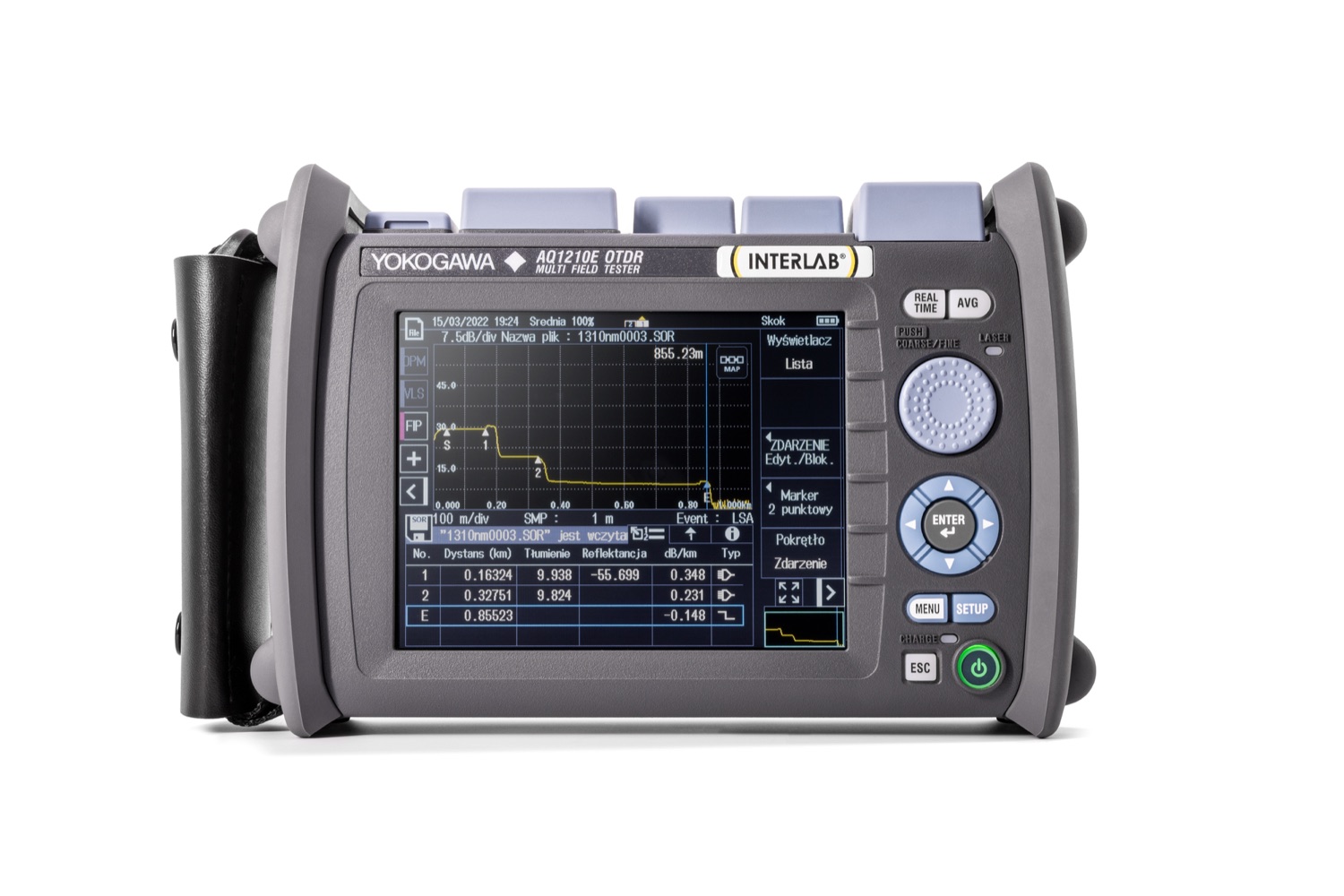
Fast fibre diagnostics. Full control in the field.
Seven configurations for access, PON, FTTH, single-mode and multimode networks. Smart Mapper simplifies event interpretation while the complete OTDR trace remains one tap away.
INTERLAB will help select the wavelengths, dynamic range, measurement port and options for your network.
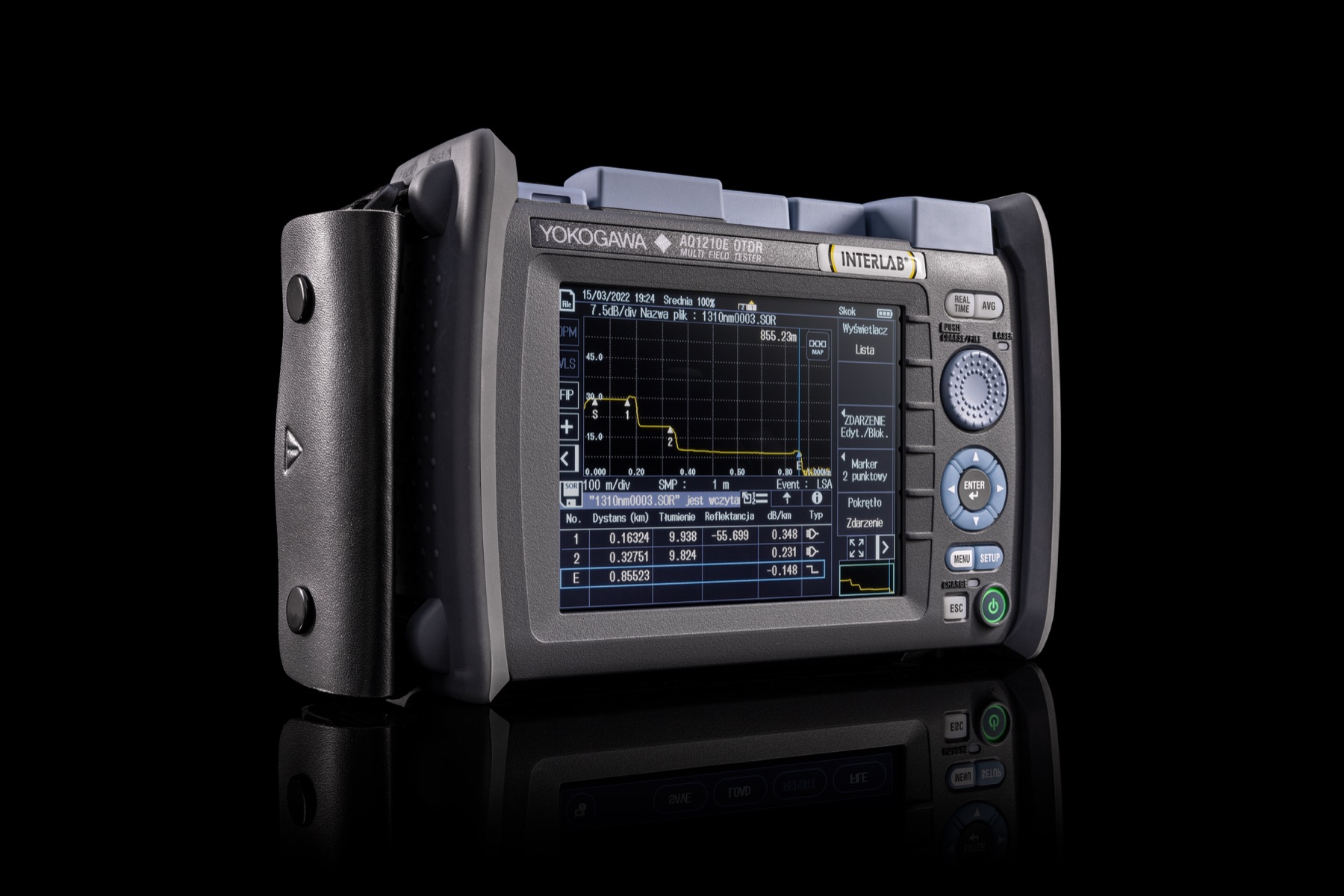
One field-ready format. Seven specialised configurations.
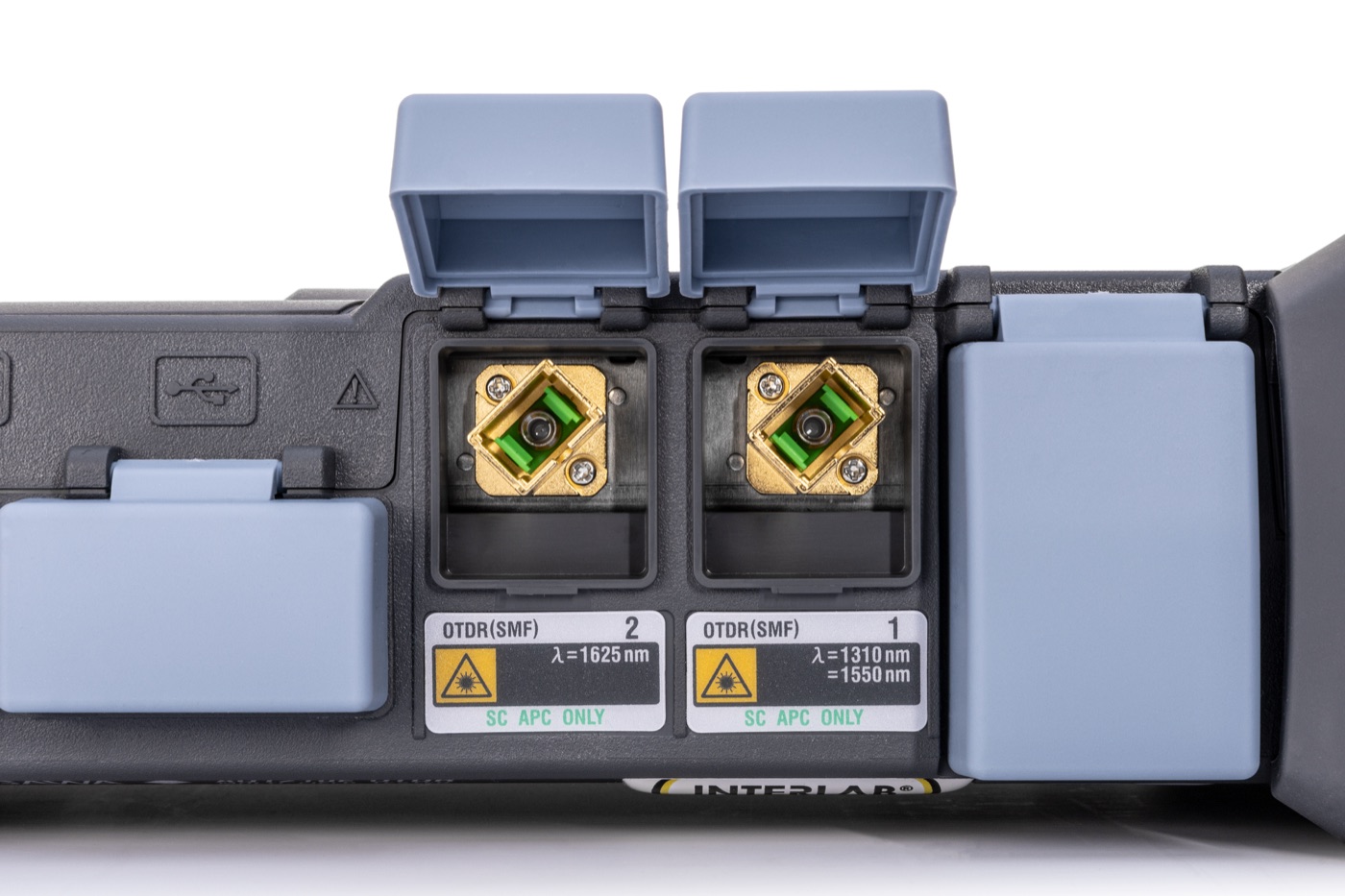
The Yokogawa AQ1210 is a family of seven compact field OTDRs for installation, acceptance testing and troubleshooting of fibre networks. A models test standard single-mode links at 1310/1550 nm, E and F models add a filtered 1625 or 1650 nm port for live-fibre maintenance, and the AQ1210D combines SM 1310/1550 nm with MM 850/1300 nm testing.
* On selected high-dynamic-range models. ** Under the Telcordia conditions specified by the manufacturer.
Turn a complex trace into a clear event map.
Smart Mapper measures with multiple pulse widths, combines the useful sections and presents detected events as a clear icon-based map. It identifies the position and type of splices, connectors, splitters and fibre ends, while user-defined thresholds provide an immediate PASS or FAIL assessment.
Tap once to switch from the map to the conventional OTDR trace and review the waveform, markers and pulse widths used for the assessment. Smart Mapper speeds up interpretation without taking trace-level control away from the operator.
Which Yokogawa AQ1210 fits your network?
Select an application to highlight the most relevant configurations. The complete comparison table remains available below.
37/35 dB typ. AQ1215A1310/1550 nm
42/40 dB typ. AQ1210E+ filtered 1625 nm
37/35/35 dB typ. AQ1215E+ filtered 1625 nm
42/40/39 dB typ. AQ1215F+ filtered 1650 nm
42/40/37 dB typ. AQ1216F+ filtered 1650 nm
42/40/40 dB typ. AQ1210DSM 1310/1550
MM 850/1300 nm
| Model | OTDR wavelengths | Typical dynamic range | Best suited to |
|---|---|---|---|
| AQ1210A | 1310 / 1550 nm | 37 / 35 dB | Standard SM access and FTTH links; new or dark fibre. |
| AQ1215A | 1310 / 1550 nm | 42 / 40 dB | Long links and demanding PON measurements on new or dark fibre. |
| AQ1210E | 1310 / 1550 / filtered 1625 nm | 37 / 35 / 35 dB | Live-network maintenance at 1625 nm. |
| AQ1215E | 1310 / 1550 / filtered 1625 nm | 42 / 40 / 39 dB | Live PON networks requiring higher dynamic range. |
| AQ1215F | 1310 / 1550 / filtered 1650 nm | 42 / 40 / 37 dB | Live-network maintenance at 1650 nm. |
| AQ1216F | 1310 / 1550 / filtered 1650 nm | 42 / 40 / 40 dB | The most demanding PON measurements at 1650 nm. |
| AQ1210D | SM 1310 / 1550 nm; MM 850 / 1300 nm | 37 / 35; 25 / 27 dB | Access and LAN networks requiring both SM and MM testing. |
Dynamic-range values depend on wavelength and test conditions. Live-fibre OTDR testing applies specifically to E and F models with a filtered 1625 or 1650 nm port.
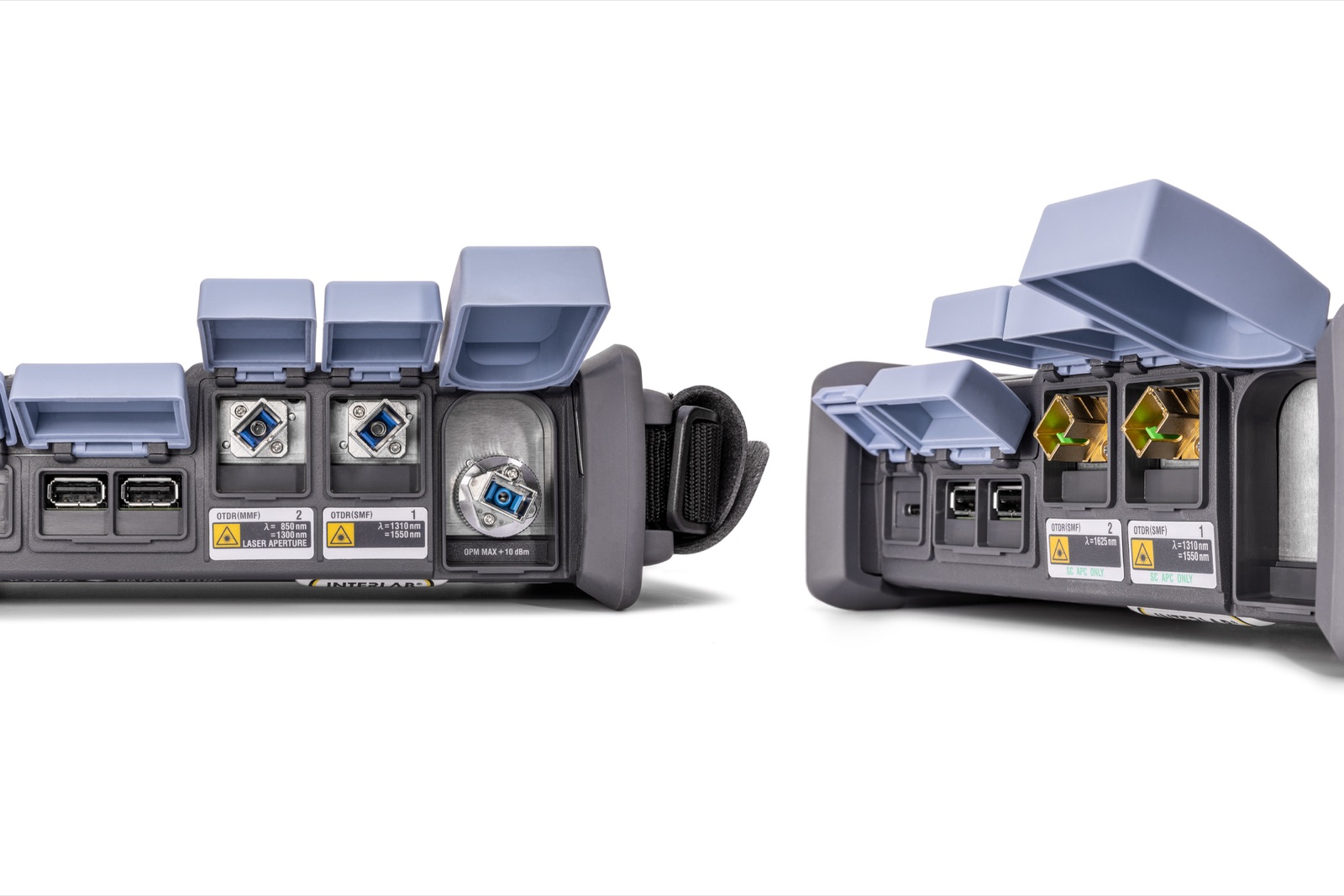
SM, live network or mixed SM/MM environments.
The AQ1210 is not one universal instrument. The selected port and wavelength determine whether you are testing a dark single-mode link, live fibre or a LAN installation with multimode fibre.
Explore all OTDR optical reflectometersMeasure, analyse, report and transfer — without returning to the office.
From preparing the job to delivering a SOR or PDF file, the AQ1210 organises the complete field-testing workflow.
Create the job
Store test conditions and fibre numbers. A multi-fibre project can manage up to 2,000 fibres.
Inspect and connect
With /FST and a compatible probe, assess the connector surface. Then select the correct port and wavelength.
Start the test
Use Smart Mapper, automatic measurement or real-time mode according to the task.
Verify the result
Hi-Speed updates the trace up to five times per second; Hi-Reflection improves difficult-event analysis.
Save and transfer
Save SOR, PDF or both. Wired LAN and Wi‑Fi require compatible USB adapters.
Measure beyond the splitter with a configuration matched to the network.
AQ1215A, AQ1215E, AQ1215F and AQ1216F are designed for more demanding PON links. Under typical measurement conditions, they can characterise networks beyond split ratios up to 1×128. Actual reach depends on the loss budget, fibre length, connector quality, splitter topology, pulse width and selected model.
For live-fibre OTDR measurements, use an E or F model with a filtered 1625 or 1650 nm port. The optional /PPM PON power meter supports 1310/1490/1550 nm. These are power-meter functions, not additional OTDR wavelengths.
OTDR
link end
PON up to 1×128 is a typical value for the relevant models and conditions, not a guarantee for every link.
One OTDR platform, configured for the job before purchase.
Option selection is part of quotation preparation. Several hardware functions cannot be added after the instrument has shipped.
Approximately 1 kg. 10+ hours. Ready in under 10 seconds.
A 210 × 148 × 69 mm enclosure, 5.7-inch display and three control methods make the AQ1210 practical for acceptance testing, fault response and long multi-fibre jobs.
Explore Yokogawa fibre-optic test equipment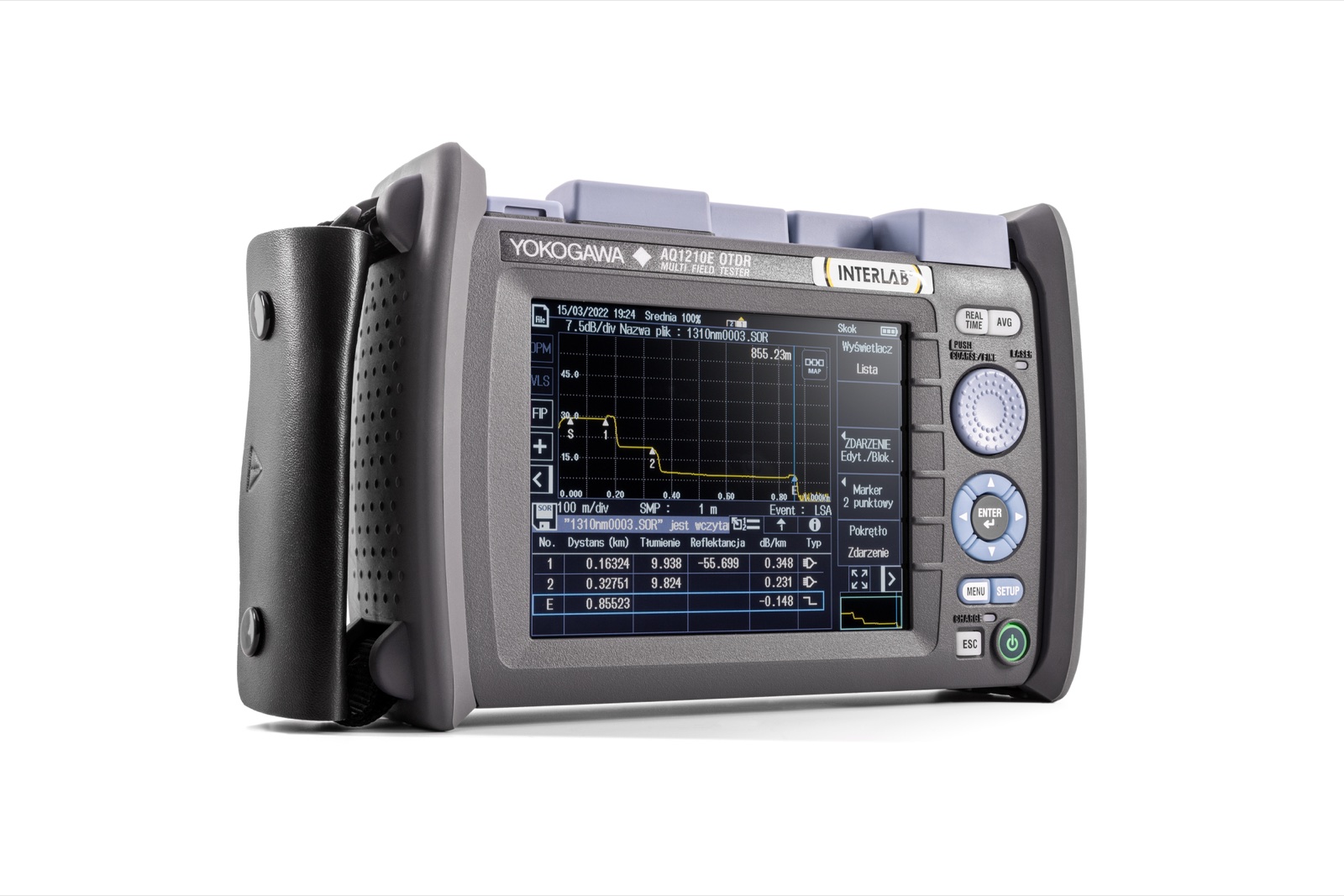
The parameters that matter in a real measurement.
| Product family | 7 models: AQ1210A, AQ1215A, AQ1210E, AQ1215E, AQ1215F, AQ1216F, AQ1210D |
|---|---|
| OTDR wavelengths | 850, 1300, 1310, 1550, filtered 1625 or 1650 nm, model dependent |
| Dynamic range | up to 42 dB typical; see the model table for exact values |
| Distance range | up to 512 km on selected models; standard models up to 256 km; AQ1210D up to 256 km SM and 100 km MM |
| Sampling | maximum 256,000 points; resolution from 2 cm, model dependent |
| Dead zones | from 0.5 m event / 2.5 m attenuation on selected high-dynamic-range models |
| Real-time mode | up to 5 trace updates per second |
| Display | 5.7″, 640 × 480, capacitive multi-touch |
| Start-up and projects | measurement-ready in under 10 seconds; projects up to 2,000 fibres; at least 1,000 traces in internal storage |
| File formats | SOR, CSV, SET, SMP, BMP, JPG, PDF |
| Interfaces | 2× USB-A, 1× USB-C; LAN/Wi‑Fi through compatible adapters |
| Battery | at least 10 hours; approximately 5-hour recharge while powered off |
| Size and weight | approximately 210 × 148 × 69 mm; approximately 1 kg including battery |
| Environment | −10 to +50°C, up to 4,000 m altitude, IP51 equivalent with covers closed |
Summary based on the current Yokogawa AQ1210 brochure, Ed. 07/b (contents as of May 2026). Detailed specifications and option availability depend on the selected model.
From instrument selection to trace interpretation.
Current manufacturer documentation and practical INTERLAB learning resources provide a coherent starting point for field OTDR work.
Frequently asked questions about the Yokogawa AQ1210.
Which Yokogawa AQ1210 model should I choose?
Choose the AQ1210A or AQ1215A for standard SM links at 1310/1550 nm. Choose an E model with filtered 1625 nm or an F model with filtered 1650 nm for live-fibre maintenance. The AQ1210D is intended for networks requiring both SM 1310/1550 nm and MM 850/1300 nm testing.
Can the AQ1210 test a PON beyond a 1×128 splitter?
Under typical conditions, the high-dynamic-range AQ1215A, AQ1215E, AQ1215F and AQ1216F can characterise networks beyond split ratios up to 1×128. Results still depend on the complete loss budget, fibre length, connection quality, PON topology and test settings.
Can the Yokogawa AQ1210 test a live fibre?
Yes, but this specifically requires an E or F model with a filtered 1625 or 1650 nm measurement port. A models and the AQ1210D are not the variants intended for live-line OTDR testing.
How is the AQ1210D different from E and F models?
The AQ1210D tests single-mode fibre at 1310/1550 nm and multimode fibre at 850/1300 nm. E and F models are SM instruments with an additional filtered 1625 or 1650 nm port for live-network maintenance.
What does Smart Mapper do?
Smart Mapper measures the link with multiple pulse widths, detects events and presents them as an icon-based map with PASS/FAIL assessment against user-defined thresholds. The operator can instantly switch to the conventional OTDR trace.
Which additional functions are available for the AQ1210?
Options include /SPM, /HPM and /PPM optical power meters, the /PC power checker, the /VLS visible light source and /FST connector-surface assessment. /SPM, /HPM, /PPM, /PC and /VLS must be specified before shipment.
Does the AQ1210 have built-in Wi‑Fi or Ethernet?
Wi‑Fi and Ethernet should not be described as built-in interfaces. Wired LAN and wireless connectivity require a compatible USB adapter. USB-C supports power, data transfer and remote control.
Can the AQ1210 save SOR files and generate PDF reports?
Yes. Results can be saved directly as SOR, PDF or both. The instrument also supports multi-fibre projects, while AQ7933 adds PC-based trace analysis, reporting, file transfer and remote control.
One platform. Seven configurations. Let’s select the right one.
Send us the network topology, maximum link length, PON split ratio, live-fibre requirement and additional measurement functions. INTERLAB will recommend the AQ1210 model, options and adapters, then prepare a quotation.
We match the instrument to the measurement task — not the other way around.