AFL FOCIS Lightning2 – automated MPO/MTP connector inspection
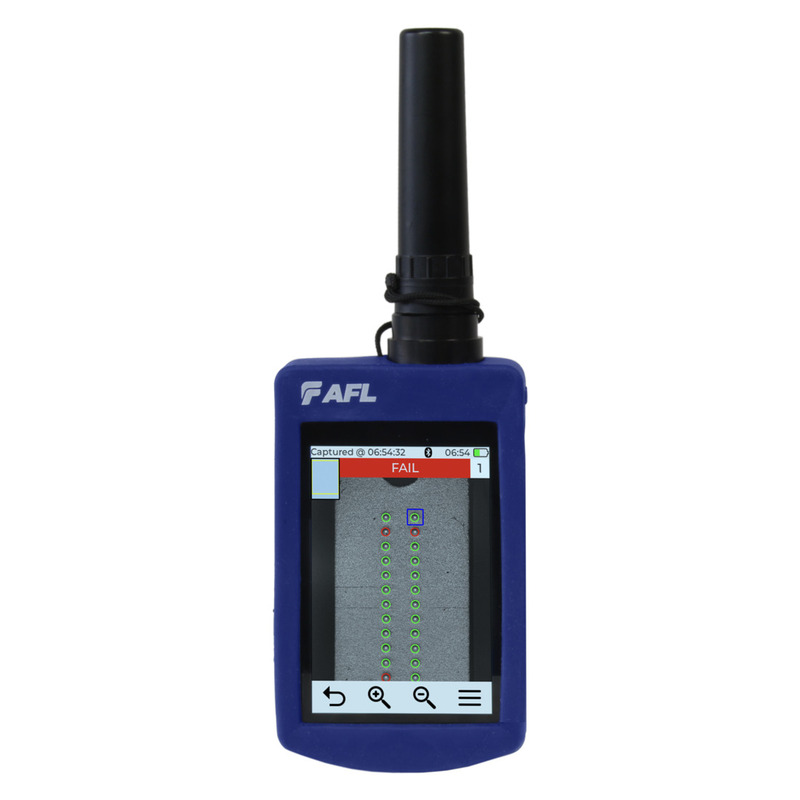
AFL FOCIS Lightning2 is a standalone MPO connector inspection scope for automated endface assessment. One press initiates focus, centring, image capture and PASS/FAIL analysis.

  • Complete MPO endface captured and displayed in under two seconds
  • MPO-8/12/16/24/32 support, up to two rows of 16 fibres
  • Connector and per-fibre grading to IEC 61300-3-35, IPC, AT&T or user criteria
  • 3.5-inch colour touchscreen with storage for up to 10,000 image files
  • USB-C plus Bluetooth on wireless variants; NW versions available
AFL · FOCIS Lightning2

The entire MPO connector in one view.

A standalone MPO connector inspection scope for fast MPO/MTP endface assessment. One press initiates focus, centring, image capture and automated PASS/FAIL analysis, with a result for the connector and every individual fibre.

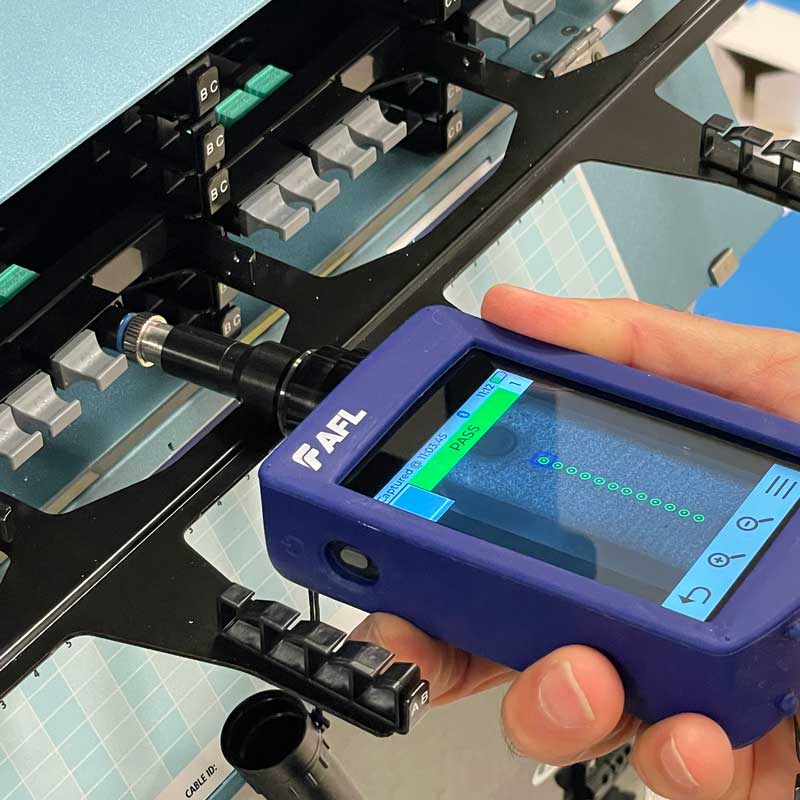
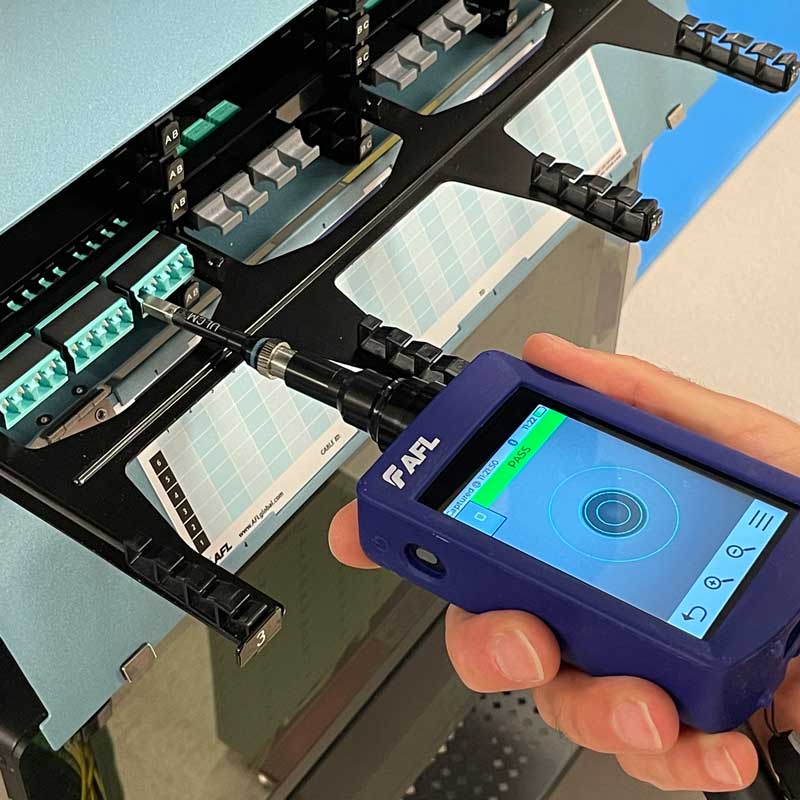
AFL FOCIS Lightning2 MPO and MTP connector inspection scope Standalone MPO/MTP inspection
< 2 scapture and display of the full MPO endface
8–32MPO fibres, up to two rows of 16
maximum image zoom
10,000image files stored in the instrument
Multi-fibre MPO connector analysis on the FOCIS Lightning2 display Connector-level result plus identification of fibres that need attention
Speed, stated precisely

See the full endface first. Then assess it fibre by fibre.

FOCIS Lightning2 captures and displays the complete MPO endface in under two seconds. Automated analysis takes approximately one second per fibre. These are two distinct specifications, presented separately here so you can plan the workflow accurately.

< 2 sfull connector endface: focus, capture and display
~1 sautomated analysis per fibre
Clear PASS/FAIL decision

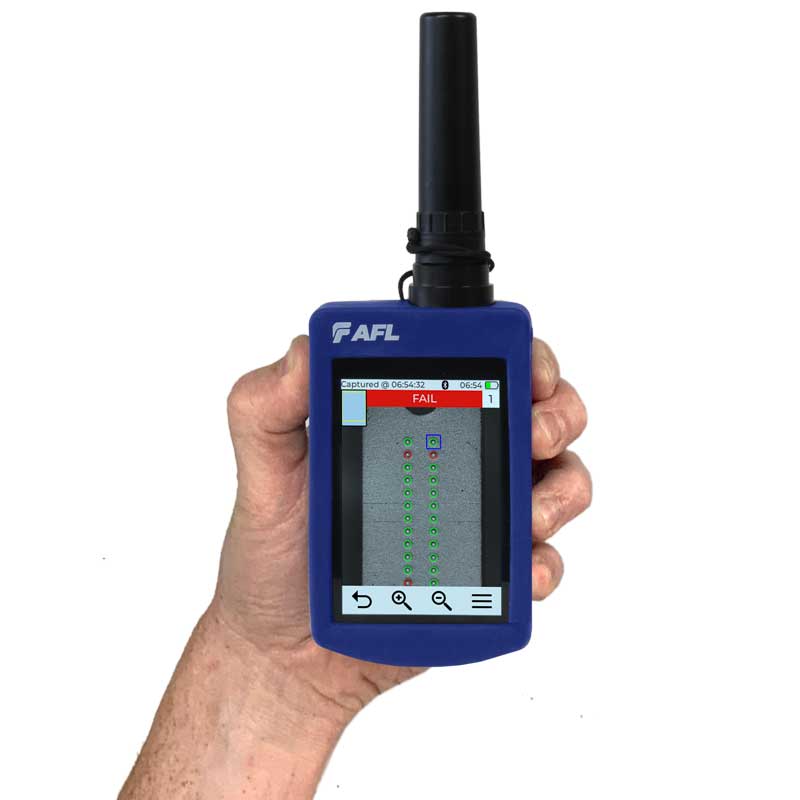
See exactly which fibre fails the criteria.

The result is more than one verdict for the whole connector. The instrument reports individual fibre status, so the operator can return to cleaning and reinspect the right area without guesswork.

Instrument scope: connector endface imaging and cleanliness assessment. FOCIS Lightning2 does not measure loss, polarity or OTDR events, and it is not a cleaning tool.

Example 32-fibre map

A schematic of the result presentation, not a screenshot of a specific inspection.

PASSFAIL
STEP 01Select the adapter tipMatch UPC/APC polish and the port or plug being inspected.
STEP 02Connect the interfaceAlign the key for the selected tip and connector geometry.
STEP 03Press one buttonFocus, centring, capture and analysis run automatically.
STEP 04Save the resultStore the image and verdict in memory, then transfer them for reporting.
One platform, multiple geometries

MPO-8, 12, 16, 24 and 32.

Supported formats depend on the fitted adapter tip. The platform covers configurations up to two rows of 16 fibres, UPC and APC polish, and both bulkhead and connector-side inspection.

MPO8with the appropriate tip
MPO12UPC or APC
MPO16single row
MPO24multi-fibre
MPO32two rows of 16
UPC and APCStandard kits can include MPOU and MPOA adapter tips.
Bulkhead and plugTips are available for panel adapters, patch cords and selected hardened connectors.
Single-fibre optionThe SFC adapter extends the platform to compatible FFLX single-fibre tips.
Where repeatability matters

From pre-connect to installation acceptance.

01Data centresInspect high-density multi-fibre links before bringing the channel into service.
02FTTx and accessAssess pre-terminated cables and solutions using selected hardened interfaces.
03Production and pre-connectApply a consistent control workflow to connectors, panels and multi-fibre assemblies.
04Enterprise and 5GDocument connector condition during installation, maintenance and troubleshooting.
Inspection criteria

A result based on a defined standard.

Choose an industry criterion or a user profile. The instrument analyses contamination and defects in the relevant connector endface zones.

IECIEC 61300-3-35 — testing and measurement of fibre optic connector endfaces.
AT&TTP-76461 — an available operator criterion.
IPCIPC-8497-1 — a criterion for fibre optic cable assemblies.
CustomUser-defined PASS/FAIL rules can be selected for specific workflows.
01 · INSPECTInspect the endfaceNever assume a new or capped connector is clean.
02 · CLEANClean if the result is FAILUse a tool suited to the connector geometry.
03 · INSPECTInspect againMake the connection only after an acceptable result.

Supported criterion revisions can depend on the installed firmware. Select the correct firmware image for the wireless or NW hardware version before updating.

From inspection to report

Keep the result with the instrument and the team.

Internal storage, USB-C and mass-storage mode make it straightforward to move images into project documentation. Wireless versions connect by Bluetooth to AFL FlexApp, and results can be organised further in AFL’s reporting environment.

01Inspectimage and PASS/FAIL
02Storeinstrument memory
03TransferUSB-C or Bluetooth*
04OrganiseFlexApp / FlexReporter
05Reportresult documentation

* Bluetooth applies to wireless versions. Models marked NW do not include wireless communication.

PASS connector inspection result on the AFL FOCIS Lightning2 display 3.5-inch touchscreen and field result storage
Configuration guide

Start with two standard kits.

The current AFL Buyer’s Guide lists two standard kits and a family of configurable variants. State the polish, inspection side, fibre count and wireless requirement when requesting a quotation.

AFL FOCIS Lightning2 kits and configurable variants
CodeTypeMPO tipsSingle-fibre extension
FOCIS-LT2-MUAstandard kitMPOU (UPC) + MPOA (APC)
FOCIS-LT2-UASFCstandard kitMPOU (UPC) + MPOA (APC)FLTNG2-01-SFC adapter
Configurable variants — wireless version
FOCIS-LT2-Nno MPO tipsselected separately
FOCIS-LT2-UUPCM12U + MPOU
FOCIS-LT2-AAPCM12A
FOCIS-LT2-UAUPC + APCM12U + M12A + MPOU
FOCIS-LT2-UASFUPC + APC + SFCMPOU + MPOASFC adapter
NW variants — without wireless communication
FOCIS-LT2-NW-[N/U/A/UA/UASF]equivalent tip configurationsdefined by the code suffixwith UASF
UPC or APC?Select MPOU, MPOA or both.
Bulkhead or plug?Identify the side of the connection to inspect.
How many fibres?8, 12, 16, 24 or 32.
Bluetooth or NW?Match the data workflow to your organisation.

Interlab selects the hardware configuration for the connector under test. The quotation should list the exact kit code and required adapter tips; no placeholder SKU is used.

Technical specifications

AFL FOCIS Lightning2 technical specifications
Supported connectorsMPO-8/12/16/24/32; up to two rows of 16 fibres, depending on the adapter tip
Image capturecomplete MPO connector endface in under 2 seconds
Automated analysisapproximately 1 second per fibre; connector and individual-fibre results
CriteriaIEC 61300-3-35, AT&T TP-76461, IPC-8497-1 and user-defined criteria
Detection capabilitymanual mode: 0.25 µm minimum; automated analysis: below 1.0 µm
Display3.5-inch TFT touchscreen, 320 × 480 px
Zoom1×, 2×, 4×, 8×
Stored imagefull JPG image: 3840 × 2560 px; GIF files are cropped fibre images or result overlays
Storage capacityup to 10,000 image files; results for approximately 1,000 multi-fibre or 1,500 single-fibre connectors
InterfacesUSB-C, USB 2.0 mass storage; Bluetooth on wireless versions
Powerreplaceable Li-Poly battery; typically 8 hours operation / 5 hours continuous operation
Optical safetydo not inspect a live fibre; +20 dBm is only the maximum no-damage level, not permission to work with an active signal
Temperature / humidityoperation 0–50°C; storage −40–70°C; 0–95% RH, non-condensing
Mechanical2G vibration; 300 mm drop without case / 460 mm in the Easy Access case
Dimensions and weight67 × 32 × 190 mm; 280 g
ComplianceCE, IEC/EN 61010-1, IEC/EN 61326-1, EN 55011, FCC 47 CFR 15 and RoHS 2/3
Manufacturer video

See the instrument in use.

AFL’s official video demonstrates the interface, MPO inspection and result presentation. The downloads section provides the current data sheet, user guide, Quick Reference Guide and adapter-tip catalogue.

Frequently asked questions

FOCIS Lightning2 in practice.

What exactly does FOCIS Lightning2 measure?

It images the connector endface and automatically evaluates contamination and defects against the selected PASS/FAIL criterion. It does not measure insertion loss, polarity or OTDR events.

Does it analyse all fibres at once?

The complete MPO endface is captured and displayed in under two seconds. Automated analysis then runs at approximately one second per fibre.

Which MPO connectors are supported?

Depending on the adapter tip: MPO-8, 12, 16, 24 and 32, up to two rows of 16 fibres. Solutions are available for UPC and APC, bulkheads and plugs.

Can it inspect single-fibre connectors?

Yes. ALCM and ULCM tips support direct LC/APC and LC/UPC inspection. Most other FFLX single-fibre tips require the FLTNG2-01-SFC adapter, included in configurations such as FOCIS-LT2-UASFC.

What is the difference between wireless and NW versions?

The wireless version provides Bluetooth connectivity for AFL FlexApp. The NW variant has no wireless communication; USB-C file transfer remains available.

How do the MUA and UASFC kits differ?

Both contain MPOU and MPOA tips for UPC/APC. UASFC also includes the FLTNG2-01-SFC adapter for compatible single-fibre inspection tips.

Can I safely inspect a live fibre?

No. Disable the signal before inspection. AFL states +20 dBm only as the maximum no-damage level; it is not permission to work with a live fibre, whose image cannot be displayed.

How are results stored and reported?

Images and results are saved in the instrument. Transfer is available over USB-C and, on wireless versions, through Bluetooth and FlexApp; AFL FlexReporter supports result organisation and reporting.

Complete the test workflow

Data sources: AFL FOCIS Lightning2, Product Data Sheet FOCIS-LT2-2000 Rev AC dated 29 May 2025, and AFL Test & Inspection Buyer’s Guide dated 15 July 2026. Variants and included items may change; the configuration is confirmed before quotation.

Download materials click to expand

AFL FOCIS Lightning2 Datasheet - FOCIS-LT2-2000 Rev AC (PDF)

AFL FOCIS Lightning2 Quick Reference Guide - FOCIS-FL2-1ENG Rev AA (PDF)

AFL FOCIS Lightning2 User’s Guide - FOCIS-LT2-1000 Rev AA (PDF)

AFL Connector Inspection Adapter Tips Catalog (PDF)

Interested in this product?

Contact us for a detailed quote and technical advice.

Related products

Light SourcesMeters & Fusion Splicers

Fusion SplicersMeters & Fusion Splicers

Ask about this product

Product: AFL FOCIS Lightning2 – automated MPO/MTP connector inspection