Precision you can
take into the field.
From the first connector to the last kilometre. See the details of your fibre link and make decisions with a clear view of the result.
maximum typical dynamic range*
multi-touch display
until measurement-ready
up to 15 h battery operation*
* Dynamic range depends on model, wavelength and test conditions. Battery life is measured under Telcordia GR-196-CORE Issue 2 conditions.
A clear view.
A precise touch.
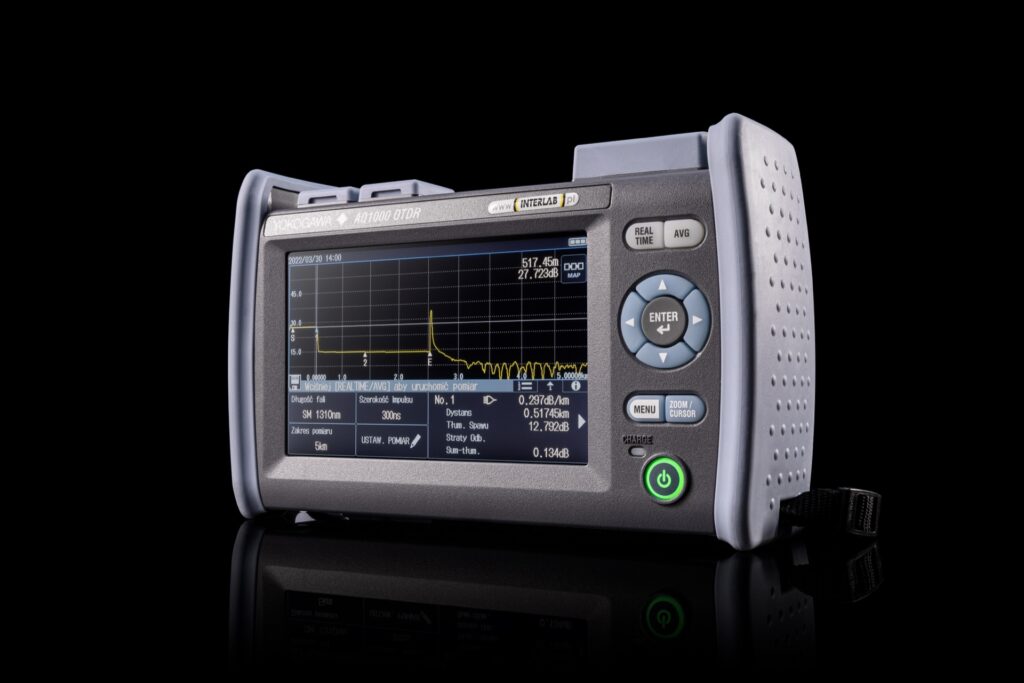
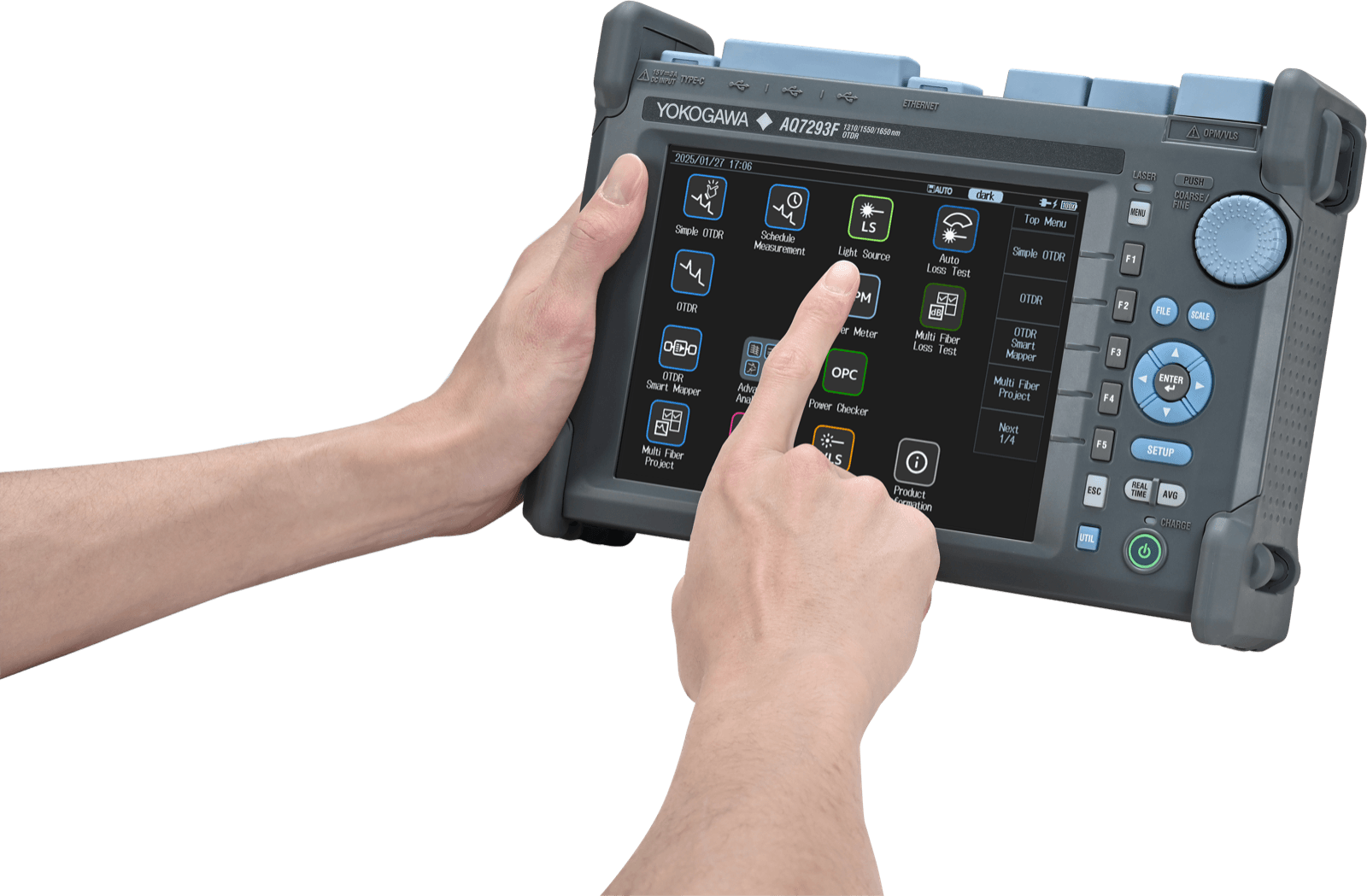
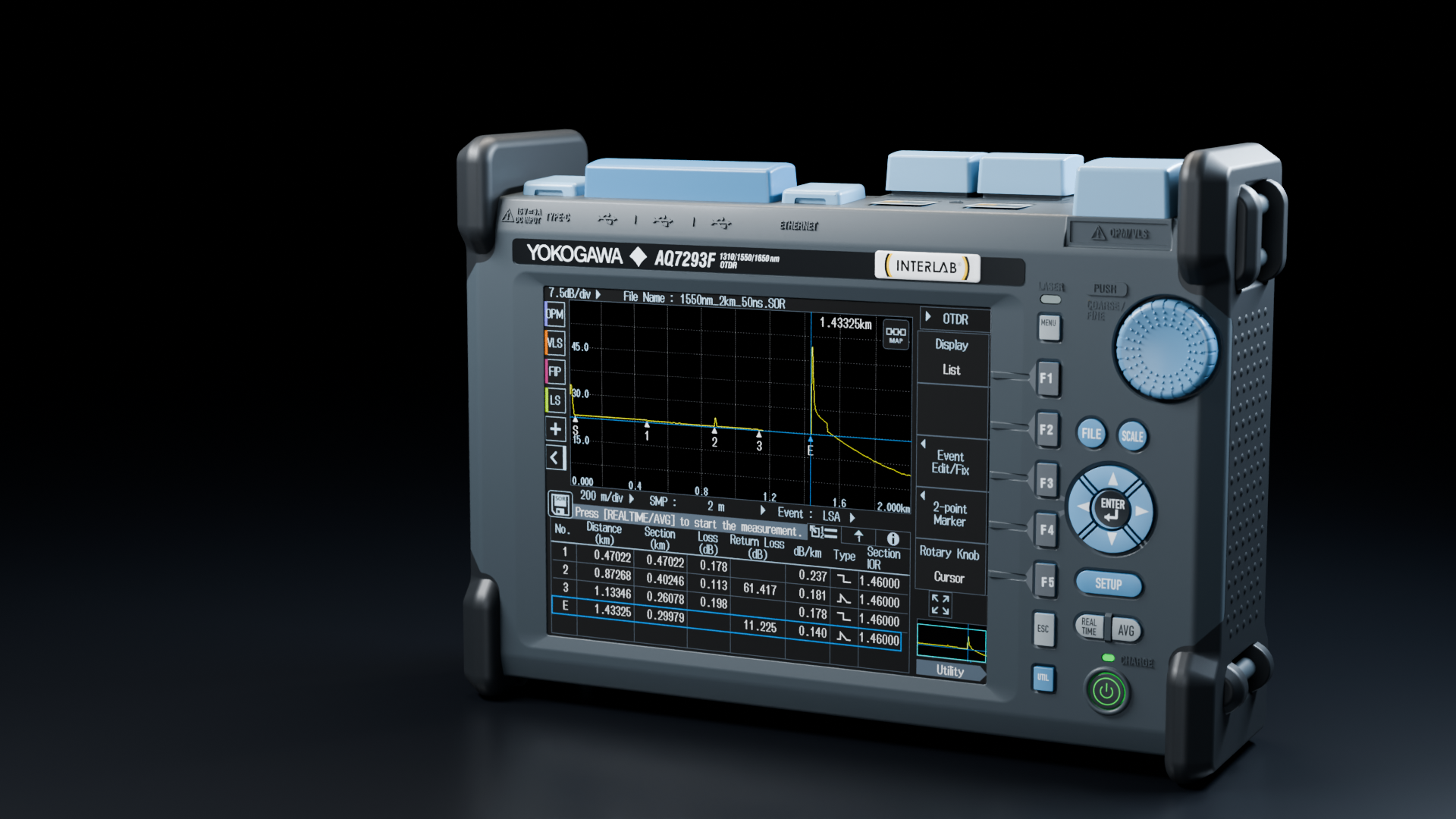
The bright 8.4-inch display shows the OTDR trace and event table. Touch speeds up navigation, function keys provide direct access to commands, and the rotary knob makes precise marker positioning easy.
Select a function or zoom into a section of the trace with a gesture on the screen.
One minute.
Beyond the specifications.
Explore the design, controls and analysis tools in our English product presentation.
English narration and on-screen titles. The film only plays when you start it.
Keep measuring.
Even away from mains power.
Up to 15 hours of battery operation under the manufacturer’s test conditions. Fast startup and a dedicated operating system support efficient, stable operation in the field.
* Under Telcordia GR-196-CORE Issue 2 conditions. Actual runtime depends on settings, temperature, functions in use and battery condition.

Power the instrument with a compatible adapter or power bank. PD 2.0 or later, at least 45 W; consult the manual for the required power profile.
From trace to a clear event map.
Smart Mapper runs the measurement, detects events and presents them as an icon-based route map. The operator can see event locations and PASS/FAIL decisions based on configured thresholds, then return to the full OTDR trace whenever deeper analysis is needed.
Simple OTDR reduces the start of a measurement to one button and displays the next-step prompt. It is workflow automation, not an AI feature.

Six models. One AQ7290 family.
Select a scenario to highlight matching configurations. Final selection should account for link loss budget, route length and whether the fibre is carrying live traffic.
39/37 dB typ. AQ7293A1310/1550 nm
43/42 dB typ. AQ7294A1310/1550 nm
47/47 dB typ. AQ7293F+ filtered 1650 nm
43/42/40 dB typ. AQ7293H1310/1550/1625 nm
43/42/40 dB typ. AQ7294H1310/1550/1625 nm
47/47/45 dB typ.
On a small screen, scroll the table horizontally to see all specifications.
| Model | OTDR wavelengths | Typical dynamic range | Configuration and use |
|---|---|---|---|
| AQ7292A | 1310 / 1550 nm | 39 / 37 dB | One port; access networks and shorter routes. Reach depends on link loss and test settings. |
| AQ7293A | 1310 / 1550 nm | 43 / 42 dB | One port; standard measurements and more demanding PON topologies. |
| AQ7294A | 1310 / 1550 nm | 47 / 47 dB | One port; the family's highest dynamic range for long routes. Reach depends on link loss and test settings. |
| AQ7293F | 1310 / 1550 nm + filtered 1650 nm | 43 / 42 / 40 dB | Two ports; live-fibre maintenance using filtered 1650 nm OTDR measurement. |
| AQ7293H | 1310 / 1550 / 1625 nm | 43 / 42 / 40 dB | One port; three measurement wavelengths including 1625 nm. |
| AQ7294H | 1310 / 1550 / 1625 nm | 47 / 47 / 45 dB | One port; three wavelengths and the highest dynamic range for demanding long routes. |
Dynamic ranges are typical values. Characterising a PON after a 1×128 split depends on the model, loss budget, topology, pulse width and line conditions; it is not a guarantee for every link.
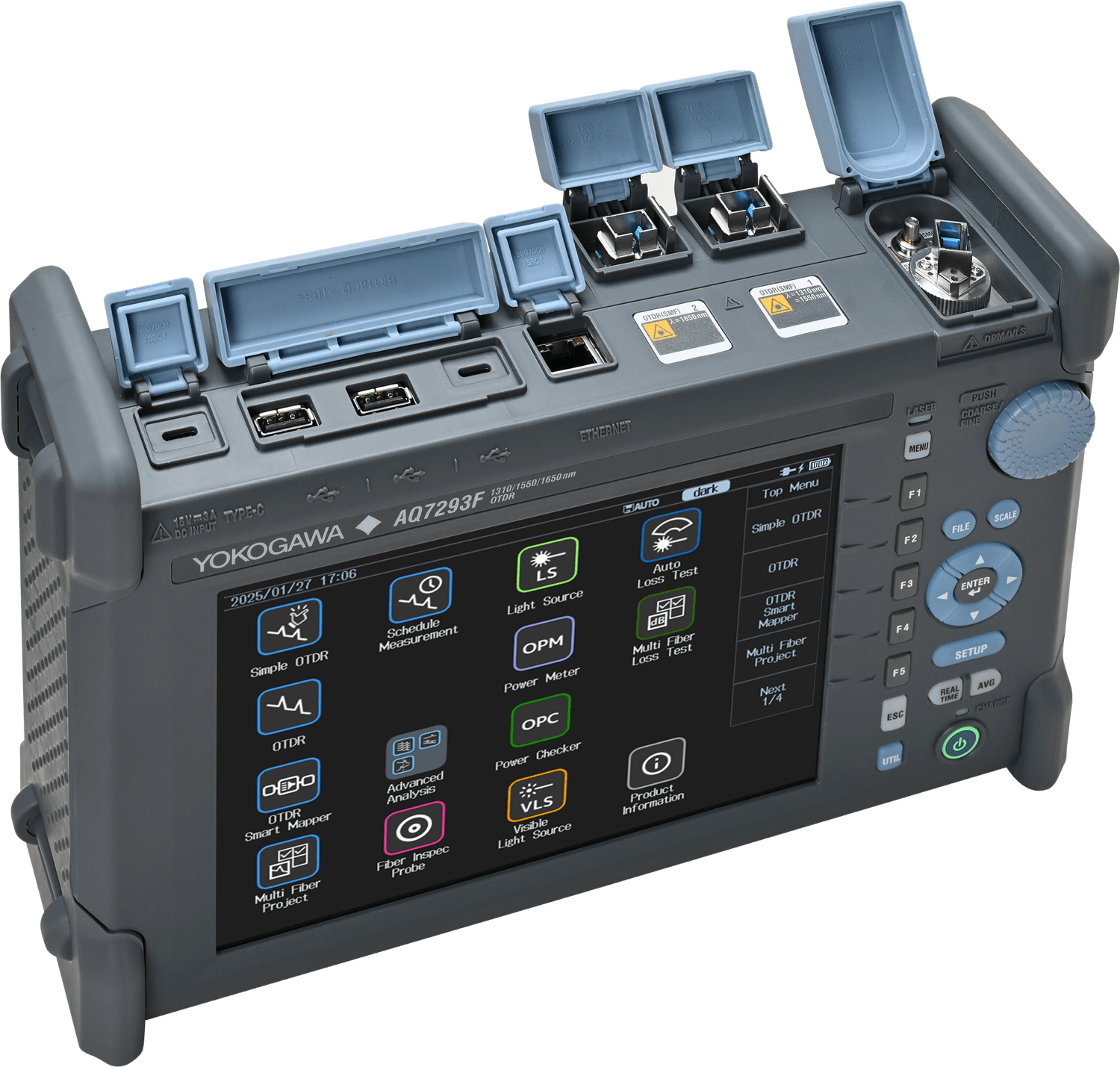
One enclosure does not mean one port layout.
The AQ7293F uses two ports, separating standard 1310/1550 nm measurements from filtered 1650 nm testing. The other models use one port. The optical configuration must be selected before ordering.
Discuss the configurationOne event can look different from opposite directions.
Bidirectional OTDR testing averages the apparent event loss and reduces the effect of differences in fibre backscatter coefficients. This is particularly important when accepting links and evaluating splices.
side A
side B
Illustrative values explaining a “gainer”; they are not a result from a specific link.
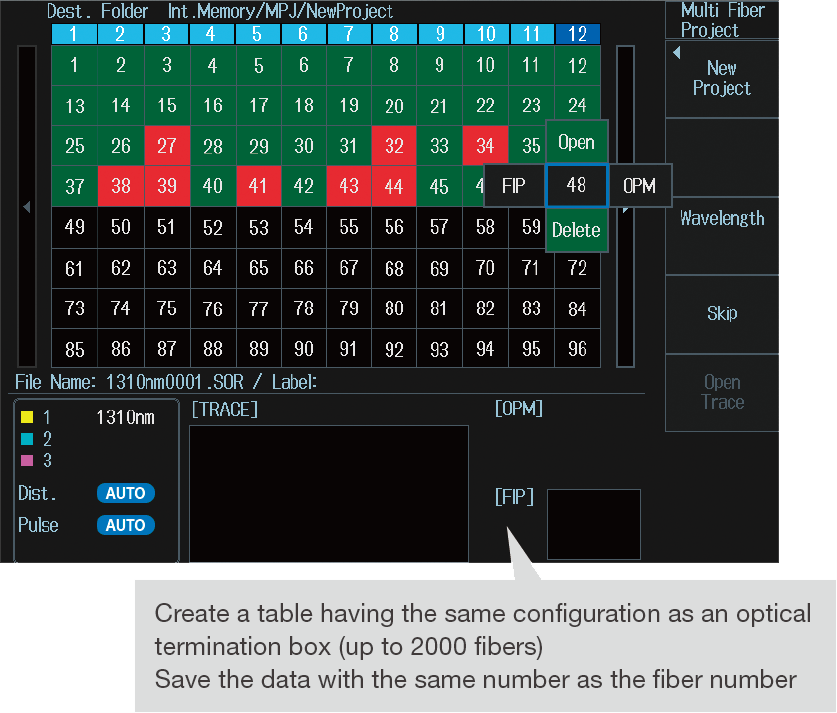
2,000 fibres.
One organised project.
Track progress in a table of fibre numbers instead of on a separate checklist. Select a position, take a measurement and check its updated status.
Test conditions and results stay associated with the correct fibre, helping you complete the documentation and reduce the risk of missing a link.
2,000 is the number of fibres in a project, not the number of channels measured simultaneously. The AQ3550 described below is a separate accessory.
From a measurement project to further analysis.
The AQ7290 organises field work, while saved SOR files can later be reviewed in compatible software or a browser-based tool.
Build the project
Prepare a table for up to 2,000 fibres and assign measurement conditions to each entry.
Inspect the connector
With /FST and a compatible probe, evaluate the end face before connecting the link.
Run the measurement
Choose classic OTDR, Smart Mapper or the simplified Simple OTDR mode.
Save the result
Save an SR-4731 Issue 2 SOR file, generate a PDF and keep results inside the project.
Transfer and analyse
Move files by USB, microSD, LAN or wireless adapter, then continue with result analysis.
Up to 12 links without constant reconnection.
The optional AQ3550 switches up to 12 optical channels, supporting sequential measurement of multiple fibres. The 2,000 figure refers to entries in the AQ7290 project table, not switch ports.
Ask about an AQ7290 + AQ3550 setup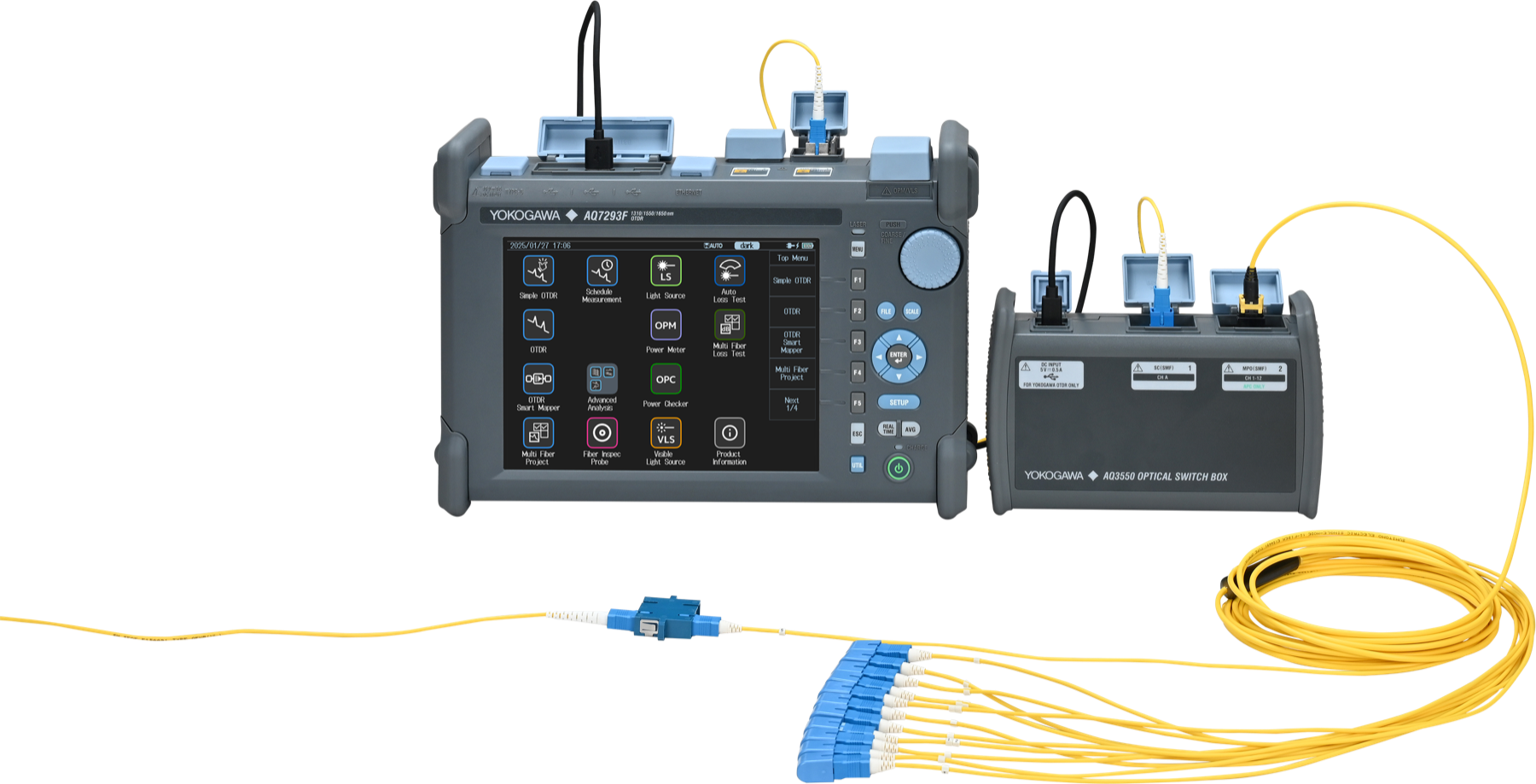
Configure the instrument before ordering.
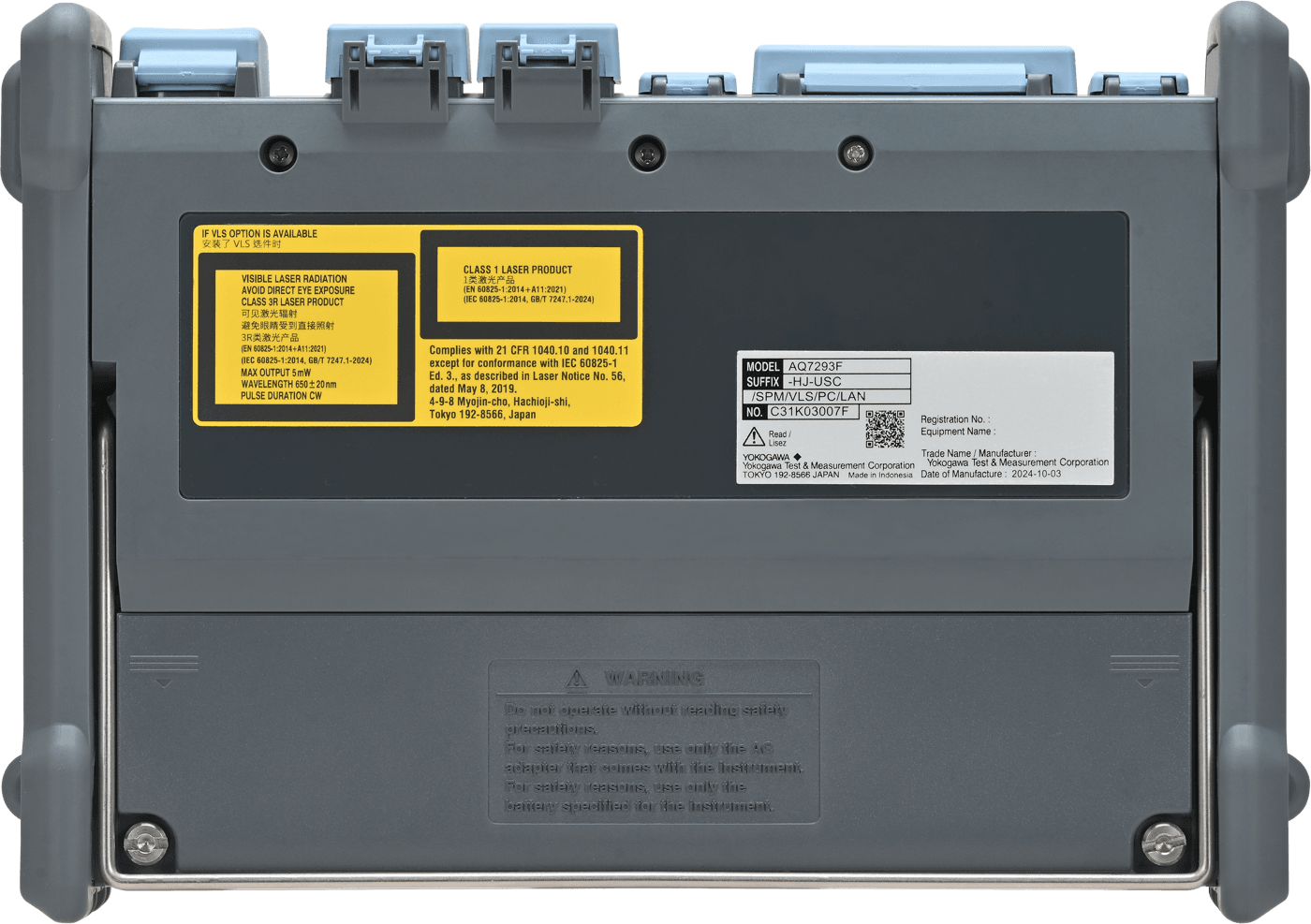
Some options are hardware-based and must be selected before delivery. Only /MNT and /FST are identified as post-purchase licence additions with compatible firmware.
The parameters that define the AQ7290 family.
| Family | 6 models: AQ7292A, AQ7293A, AQ7294A, AQ7293F, AQ7293H and AQ7294H |
|---|---|
| OTDR wavelengths | 1310, 1550, 1625 or filtered 1650 nm depending on model; no single model combines all four wavelengths |
| Typical dynamic range | up to 47 dB at 1310 and 1550 nm, and up to 45 dB at 1625 nm |
| Dead zones | typical event dead zone of 0.5–0.6 m; attenuation dead zone from 2.5 m, depending on model and wavelength |
| Display | 8.4-inch, 800 × 600 colour capacitive multi-touch display plus physical keys |
| Start-up | measurement-ready in under 10 seconds |
| Battery and power | up to 15 hours under Telcordia conditions; USB-C PD 2.0 or later, minimum 45 W; compatible power-bank support |
| Storage | 1 GB, approximately 60,000 traces; microSD up to 2 TB; projects up to 2,000 fibres |
| Result formats | SOR compliant with SR-4731 Issue 2 and PDF |
| Connectivity | USB; Ethernet with /LAN; Wi-Fi and LTE via a compatible USB dongle |
| Interface language | English, Polish and other languages available in the instrument software |
Condensed data based on Yokogawa's official brochure and manuals. Exact values depend on model, wavelength, pulse width and measurement conditions.
More than a specification sheet.
Official Yokogawa documentation and INTERLAB learning resources help you choose the instrument, understand the trace and assess results correctly.
Frequently asked questions about the AQ7290.
How many models are in the Yokogawa AQ7290 family?
The family has six models: AQ7292A, AQ7293A, AQ7294A, AQ7293F, AQ7293H and AQ7294H. They differ in wavelengths, dynamic range and optical port configuration.
What is the maximum dynamic range of the AQ7290?
The maximum typical dynamic range is 47 dB at 1310 and 1550 nm on the AQ7294A and AQ7294H. The AQ7294H additionally reaches 45 dB at 1625 nm.
What dead-zone performance does the AQ7290 offer?
The typical event dead zone is 0.5–0.6 m, while the attenuation dead zone starts at 2.5 m. Exact performance depends on model, wavelength and measurement settings.
How do Smart Mapper and Simple OTDR differ?
Smart Mapper shows detected events as an icon-based map with PASS/FAIL evaluation and lets the operator return to the classic trace. Simple OTDR reduces measurement start to one button and prompts the operator with the next step.
How many fibres can a measurement project contain?
An AQ7290 measurement project can contain up to 2,000 fibres. The optional AQ3550 switch has up to 12 channels; these figures describe different parts of the workflow.
How long does the battery last and what does USB-C do?
Yokogawa specifies up to 15 hours under Telcordia conditions. USB-C supports Power Delivery 2.0 or later at a minimum of 45 W, allowing operation from a compatible power bank.
Does the AQ7290 include Wi-Fi, LTE and Ethernet?
Ethernet requires the /LAN option. Wi-Fi or LTE connectivity requires a compatible USB dongle, so wireless communication should not be described as built into every configuration.
What does the Yokogawa AQ3550 add?
The AQ3550 is an optional optical switch for sequential connection of up to 12 links. It reduces manual reconnection during repetitive multi-channel measurements.
Six models. Let us select the right one for your network.
Send the topology, maximum route length, PON split, live-fibre requirement and required options. INTERLAB will identify the appropriate AQ7290 variant and prepare an equipment quotation.
We select equipment for the measurement task — not the other way around.