Tier 1 certification
Insertion loss, length and propagation delay, followed by a clear PASS/FAIL result against the selected limit.

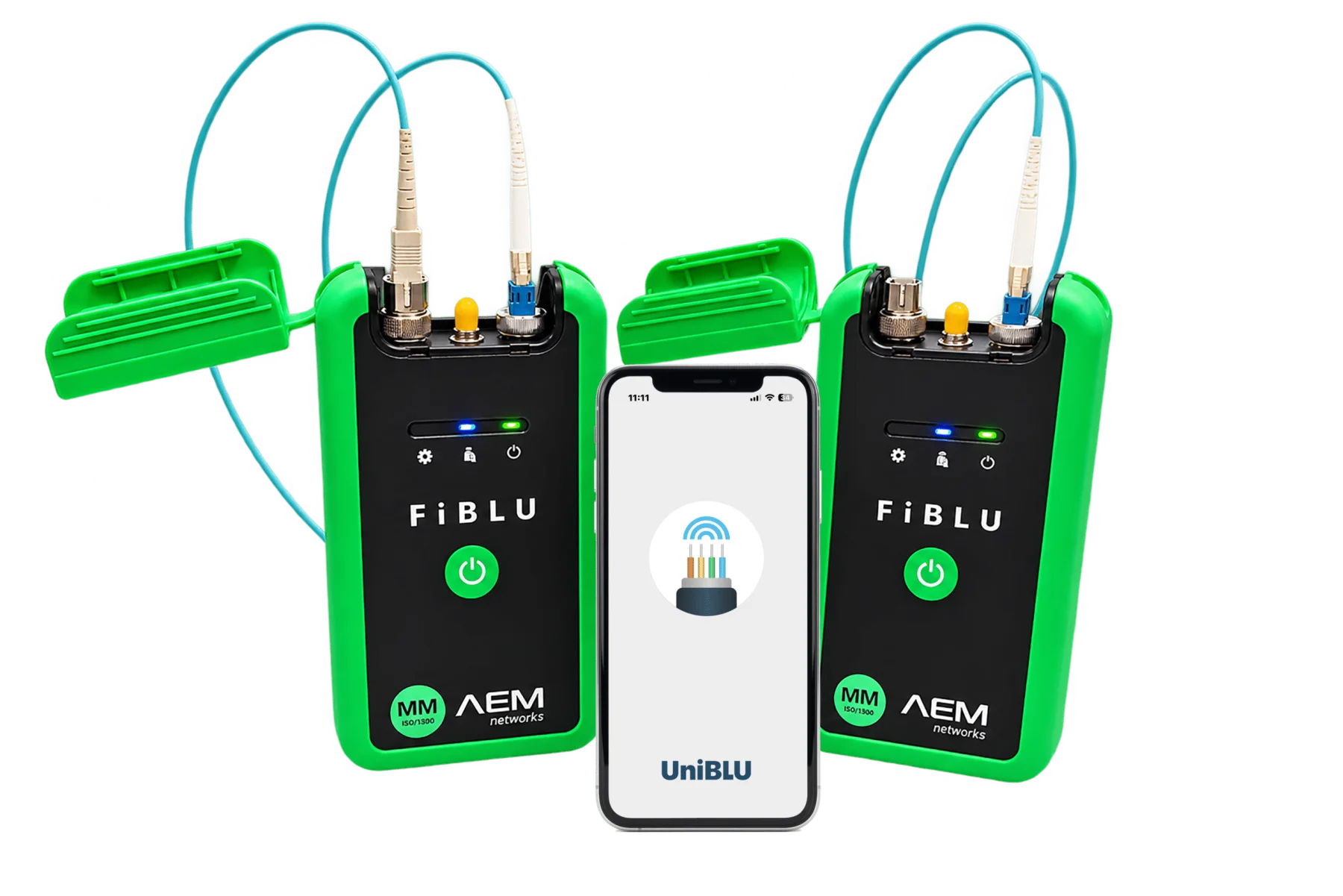
AEM Networks · FiBLU · Tier 1 OLTS
FiBLU is an app-native Tier 1 OLTS certifier for multimode and single-mode links. Dedicated hardware measures insertion loss and length; UniBLU evaluates the result against the selected limit and takes the project from setup to report.
FiBLU at a glance
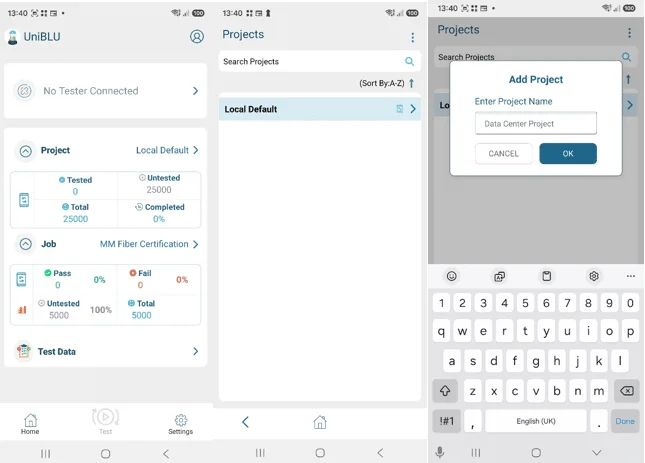
The UniBLU app manages projects, limits, users and reports. Calibrated FiBLU handsets perform the optical measurement and communicate with the phone over Bluetooth.
Insertion loss, length and propagation delay, followed by a clear PASS/FAIL result against the selected limit.
Separate multimode and single-mode handsets, plus a complete Quad kit containing four devices for both media.
Test from one end or between two technicians, including bidirectional dual-ended and simplex workflows.
Results stay with the UniBLU project. Export options include PDF, CSV and the .ubu project file for TestDataPro.
No internet connection is required for testing and local storage. Connectivity is required for sync, accounts and updates.
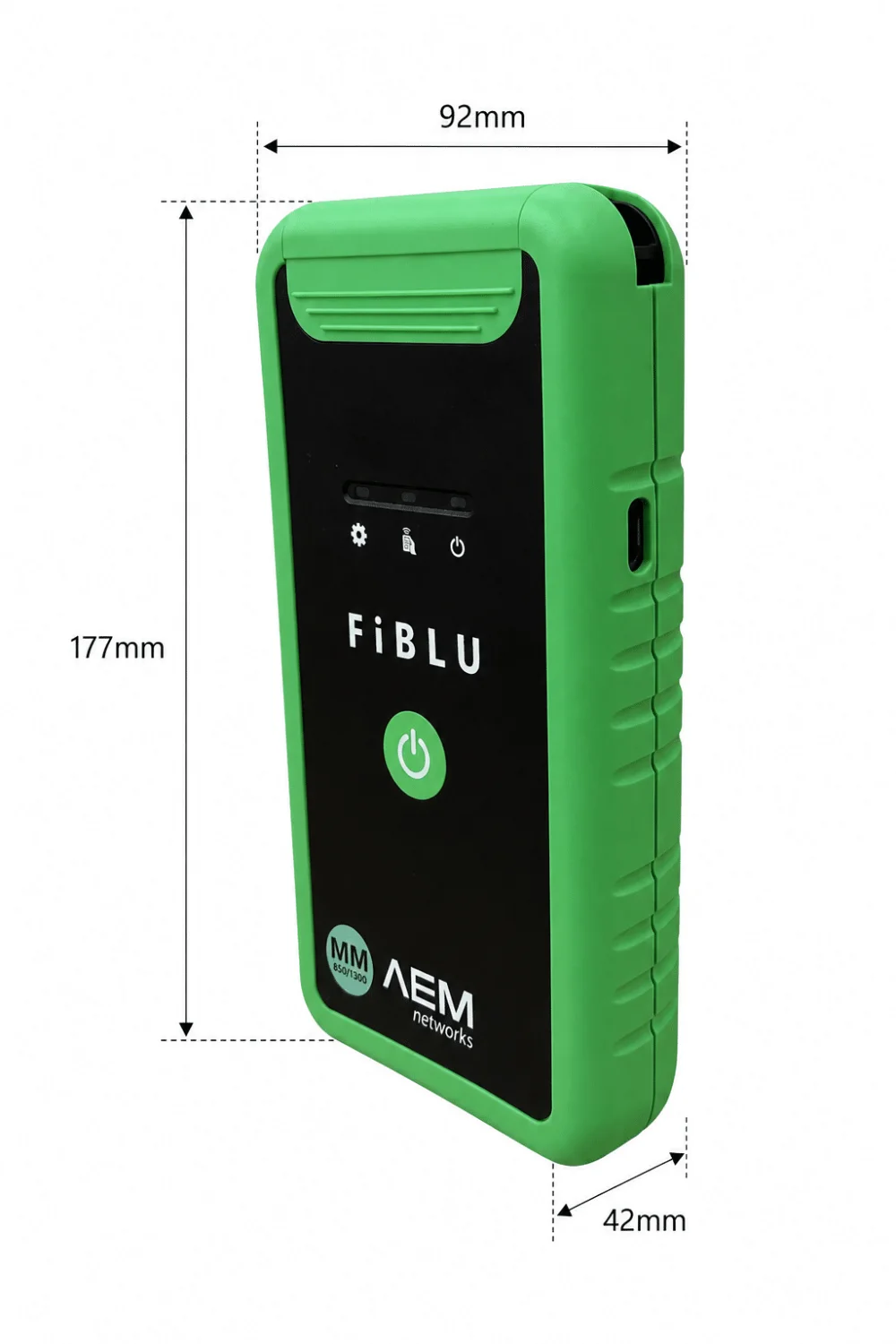
A compact 177 × 92 × 42 mm enclosure, 350 g weight, USB-C charging and typical operating time stated in the current manual.
Scope and boundaries
FiBLU is a Tier 1 OLTS certifier. It tells you whether total link loss and length are within the selected limit. It does not locate individual fiber events or generate active Ethernet traffic.
For tender specifications: “throughput verification” is not a FiBLU function. FiBLU can evaluate optical loss against an application budget, but it does not perform an active data-transmission test.
Choose the right test class: learn about Tier 1 fiber certification, or use Tier 2 OTDR testing to locate events. For a platform that combines copper and fiber certification, see AEM TestPro CV100.
A deterministic choice
Dual-ended operation requires two handsets of the same type. MM-K01 and SM-K01 each include a tester pair, reference cords, couplers and a case. QD-K01 contains four distinct devices: 2× MM and 2× SM.
Two MM handsets for bidirectional OM1–OM5 certification at 850 and 1300 nm. The kit includes two USB-C cables, an OM4 TRC set (SC–LC, LC–LC and SC–SC), SC and LC duplex couplers, and a soft case.

Two SM handsets for bidirectional OS1/OS2 certification at 1310 and 1550 nm. The kit includes two USB-C cables, a single-mode TRC set (SC–LC, LC–LC and SC–SC), SC and LC duplex couplers, and a soft case.
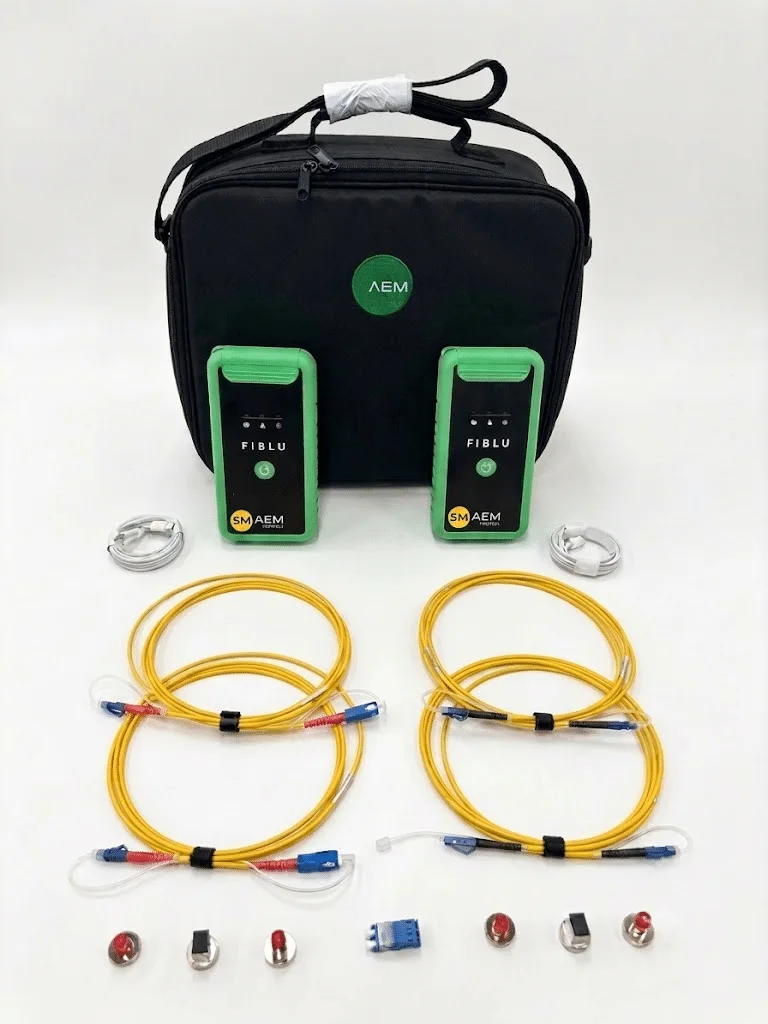
One case for both fiber types. QD is not a single “quad” pair: it contains two MM handsets and two SM handsets, four USB-C cables, TRCs for both media, two SC and two LC couplers, and a case.
One device and USB-C cable, with SC Tx and SC/LC Rx. Suitable for expanding an existing kit or loopback work with the correct TRCs. It does not include the case, couplers or a complete reference-cord set.
One device and USB-C cable, with SC Tx and SC/LC Rx. A second SM handset is required for dual-ended testing. TRCs, couplers and the case are selected separately.
Not included: a smartphone or tablet and an AC/DC wall adapter. Before ordering, we also confirm the reference method, the connectors on the link under test and the number of crews working in parallel.
| SKU | Fiber | Handsets | Best fit | TRCs / case |
|---|---|---|---|---|
| FIBLU-MM | MM | 1 | expansion or loopback | no |
| FIBLU-SM | SM | 1 | expansion or loopback | no |
| FIBLU-MM-K01 | MM | 2 | complete MM dual-ended workflow | yes, OM4 |
| FIBLU-SM-K01 | SM | 2 | complete SM dual-ended workflow | yes, SM |
| FIBLU-QD-K01 | MM + SM | 4 | both fiber types in one case | yes, both media |
From reference to PDF
UniBLU guides the technician through project setup, reference setting, AutoTest, result evaluation and reporting. Test duration depends on mode and configuration, so this page does not repeat conflicting numbers found on AEM subpages.
Select fiber type, topology, standard or application budget, and link identification.
Set a 1-, 2- or 3-jumper reference appropriate to the standard and connector types.
Pair the handsets over Bluetooth and connect cleaned interfaces with the correct TRCs.
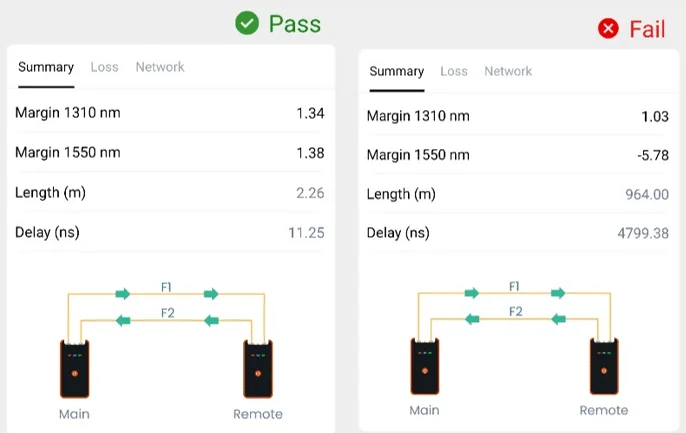
Run a dual-wavelength test; UniBLU displays length, loss, margin and PASS/FAIL.
Store the result locally, export PDF or CSV, or sync the project when internet is available.
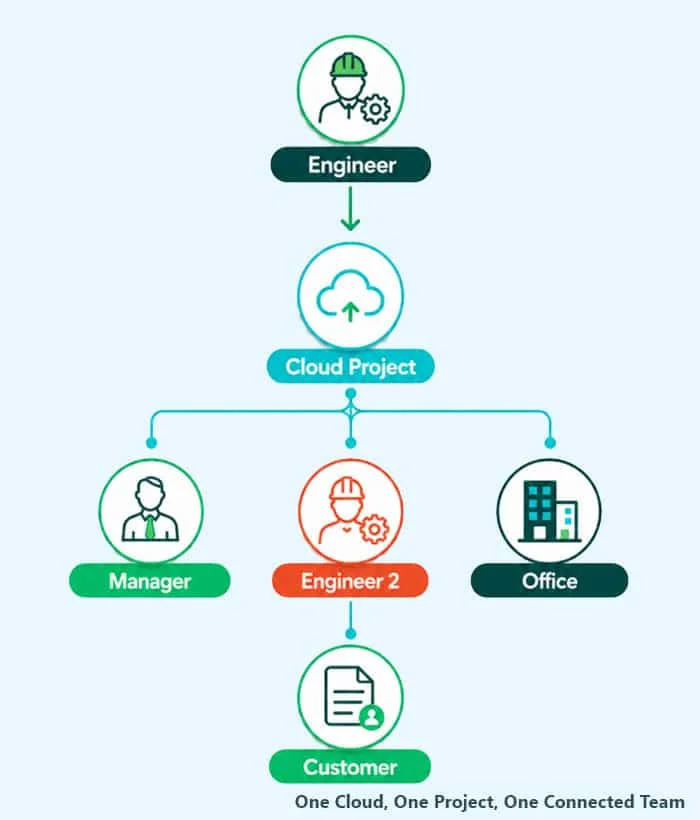
UniBLU collaboration
Technicians can test and store results locally without internet access. Connectivity is required for cloud sync, account management and firmware updates.
IT boundary: public AEM materials do not fully specify data region, retention, SSO or a DPA. Cybersecurity and privacy requirements should be verified for the customer’s intended deployment.
Canonical specifications
The values below follow the current UniBLU manual v260803. UniBLU provides workflows and test limits based on TIA-568 and ISO/IEC 14763-3; the applicable reference method and limit must be selected for the specific link. Where older AEM subpages state different figures, the newer manual is treated as the primary source.
| Parameter | FiBLU MM | FiBLU SM |
|---|---|---|
| Fiber type | OM1–OM5 | OS1 / OS2 |
| Wavelengths | 850 / 1300 nm | 1310 / 1550 nm |
| Maximum length | 2 km | 20 km |
| Maximum dual-ended loss | 10 dB | 12 dB |
| Power-meter range | 850 nm: 0…−10 dBm 1300 nm: 0…−30 dBm | 1310 / 1550 nm: 0…−30 dBm |
| Loss accuracy | ≤ 0.2 dB | |
| Repeatability | ≤ 0.05 dB | |
| Length accuracy | ± (1 m + 1%) | |
| Modes | loopback; unidirectional dual-ended; bidirectional dual-ended; simplex | |
| Connectivity | Bluetooth 2.4 GHz, version 4.2 or newer | |
| Operating time | typically up to 40 h per manual v260803; actual time depends on mode and conditions | |
| Size / weight | 177 × 92 × 42 mm / 350 g | |
| Power | Li-ion battery, USB-C charging | |
| Calibration | recommended interval: 1 year | |
| OS requirements | Android 11+ or iOS 15.5+ according to the current manual | |
Encircled Flux: AEM’s current certification page states EF control for multimode measurements, but the v260803 manual does not repeat the claim. If EF is a tender or warranty-program requirement, INTERLAB will confirm the applicable hardware configuration and AEM documentation.
New AEM materials
MM and SM handsets share the same compact design. The right configuration depends on fiber type, workflow, number of simultaneous crews, connector interfaces and reference cords.
Source documents
Warranty-program lists change over time. The current status and any additional requirements should be confirmed for the specific cabling system.
Explore other AEM Networks products available from INTERLAB.
Technical and buying FAQ
FiBLU is an app-native Tier 1 OLTS certifier for MM and SM links. The hardware measures insertion loss and length; UniBLU manages the project, evaluates PASS/FAIL and produces the report.
FiBLU measures dual-wavelength insertion loss, length and propagation delay. It also provides power-meter, light-source and VFL functions and evaluates results against the selected limit.
No. FiBLU does not generate active Ethernet traffic and does not run BERT, RFC 2544 or Y.1564. It can evaluate whether optical loss fits the budget of a selected application.
No. FiBLU performs end-to-end Tier 1 certification. An OTDR provides Tier 2 event location, event loss and reflectance. The tools answer different, complementary questions.
Choose FIBLU-MM-K01 for multimode, FIBLU-SM-K01 for single-mode, and FIBLU-QD-K01 when one team covers both fiber types. The kit-selection section lists the exact BOM.
No. QD contains four devices: two MM handsets and two SM handsets. This supports dual-ended work on either fiber type.
Yes, for core work. Testing and local storage work offline. Internet access is needed for cloud sync, account features, firmware updates and online services.
UniBLU exports PDF reports, CSV data and the native .ubu project file. A .ubu file can be imported into AEM TestDataPro.
FiBLU supports 1-, 2- and 3-jumper reference methods. AEM recommends 1-jumper, but the correct choice depends on the standard, connector types and which connections must be included in the result.
MM-K01 and SM-K01 each contain two handsets of the selected type, two USB-C cables, TRCs, SC and LC duplex couplers, and a soft case. QD-K01 contains four handsets and accessories for both fiber types. A phone and AC/DC wall adapter are not included.
The current v260803 manual requires Android 11 or newer, or iOS 15.5 or newer. Check the current requirements in the manual and app store before purchase because UniBLU releases may change them.
The recommended calibration interval is one year. If a quality plan or tender requires a shorter interval, follow the stricter requirement.
INTERLAB configuration support
We will map the requirement to the exact SKU, handset count, TRCs and couplers. If the specification actually requires Tier 2 or active traffic testing, we will flag that before quoting.