Open SOR and TRC files
Load SOR files based on Telcordia SR-4731 v1/v2 and supported EXFO TRC files, including multi-wavelength files. View the trace, event table and parameters recorded by the instrument. Original files remain read-only.

From an OTDR file
to complete test documentation.
Analyse SOR and TRC files, compare both directions and create PDF, XLSX and CSV reports. Work in your browser and give your customer a clear online view of the measurements.
Demo: sample measurements and up to 4 of your own files. For full exports, create a beta account.
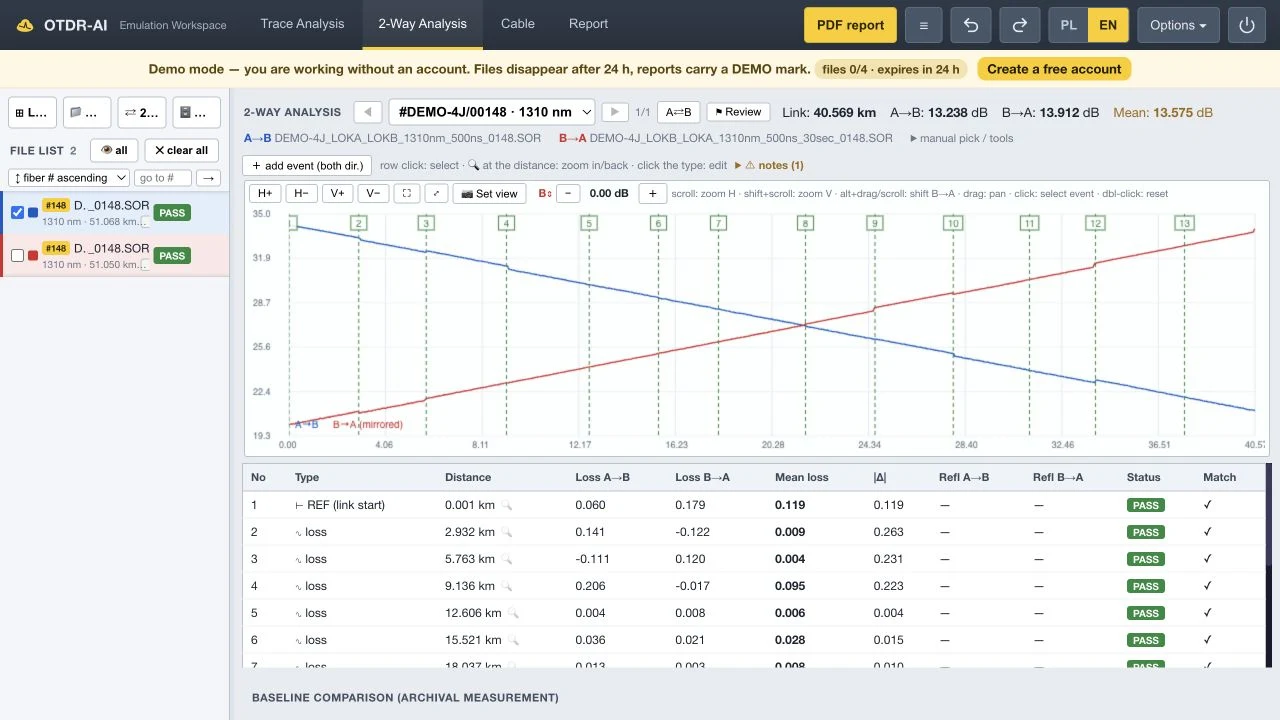
FILES → ANALYSIS → DOCUMENTATION
OTDR-AI is Interlab software for reading, analysing and reporting optical time-domain reflectometer measurements. It combines individual trace analysis with an overview of an entire cable.
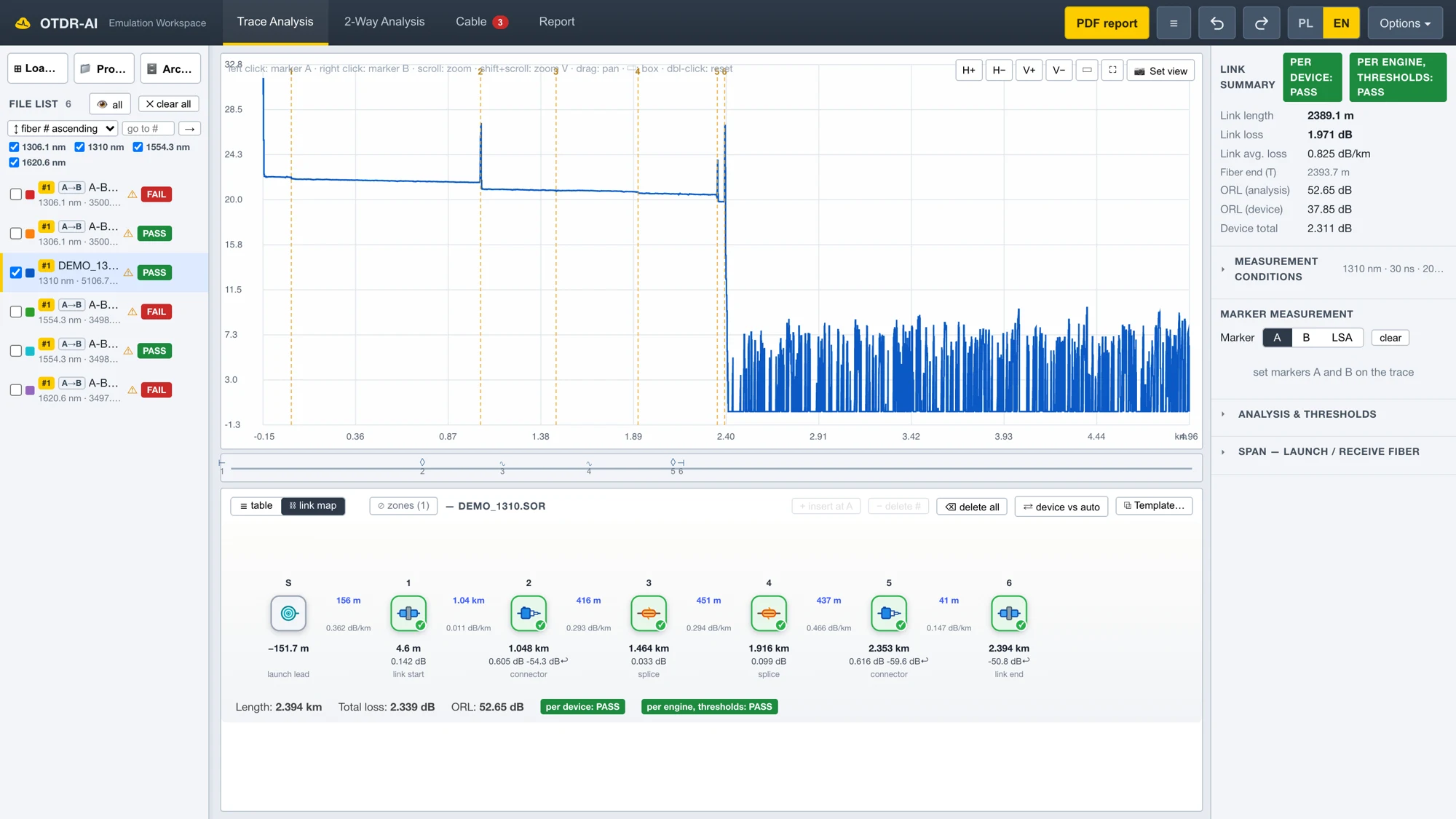
Load SOR files based on Telcordia SR-4731 v1/v2 and supported EXFO TRC files, including multi-wavelength files. View the trace, event table and parameters recorded by the instrument. Original files remain read-only.
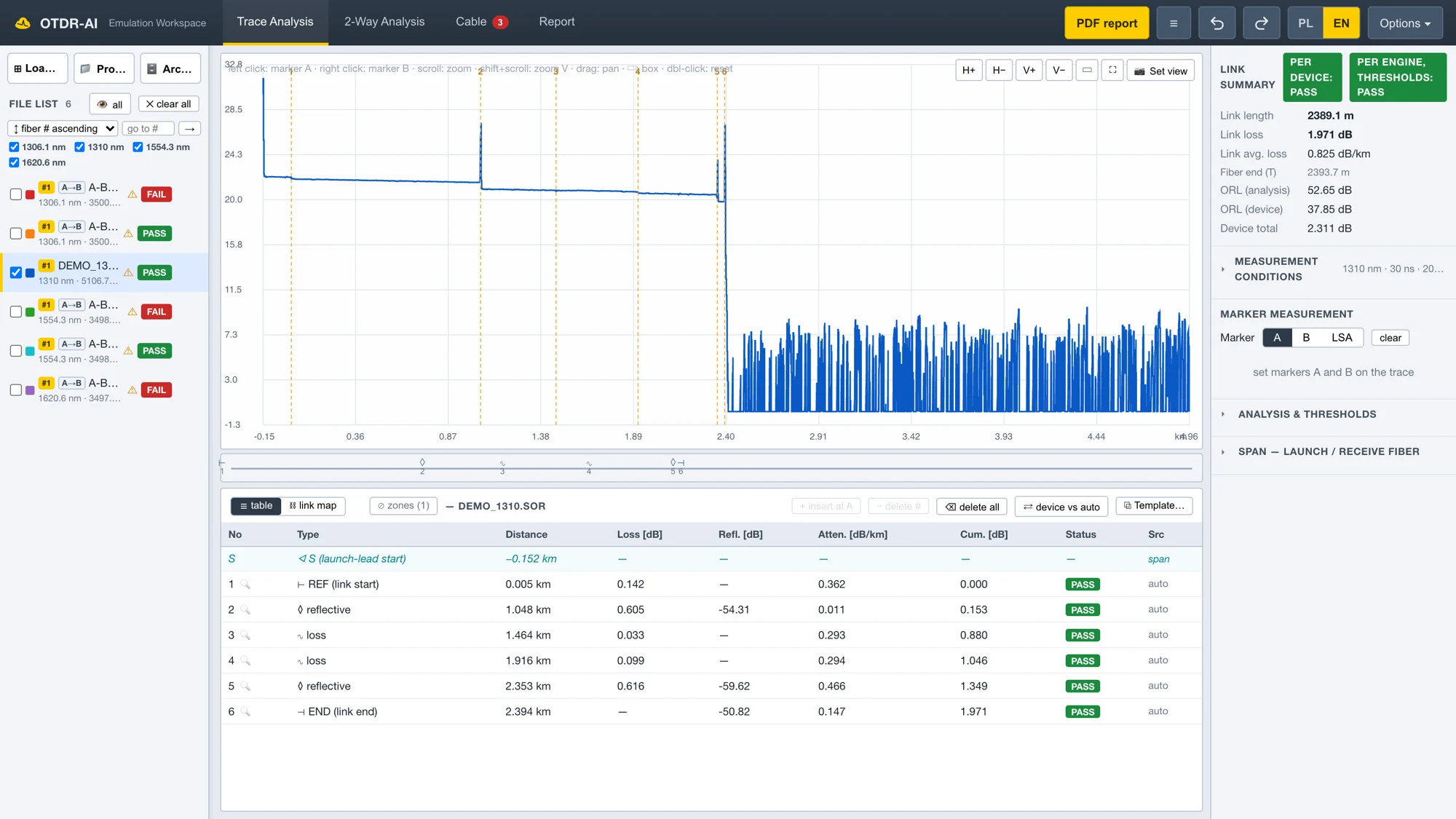
Compare the instrument's event table with trace analysis. Use markers and the least-squares approximation (LSA) method to assess splice loss, reflectance and link attenuation. Select criteria for the job and understand why a result is marked PASS, REVIEW or FAIL.
Align A→B and B→A measurements on a common axis. The table shows the result in each direction and the mean loss of each matched event. This helps assess connections that appear as a “gainer” in one direction.
View measurements of the same fibre at several wavelengths. Comparing traces and events helps reveal attenuation differences and points that need investigation, including suspected macrobends. Conclusions depend on the quality and completeness of the measurements.
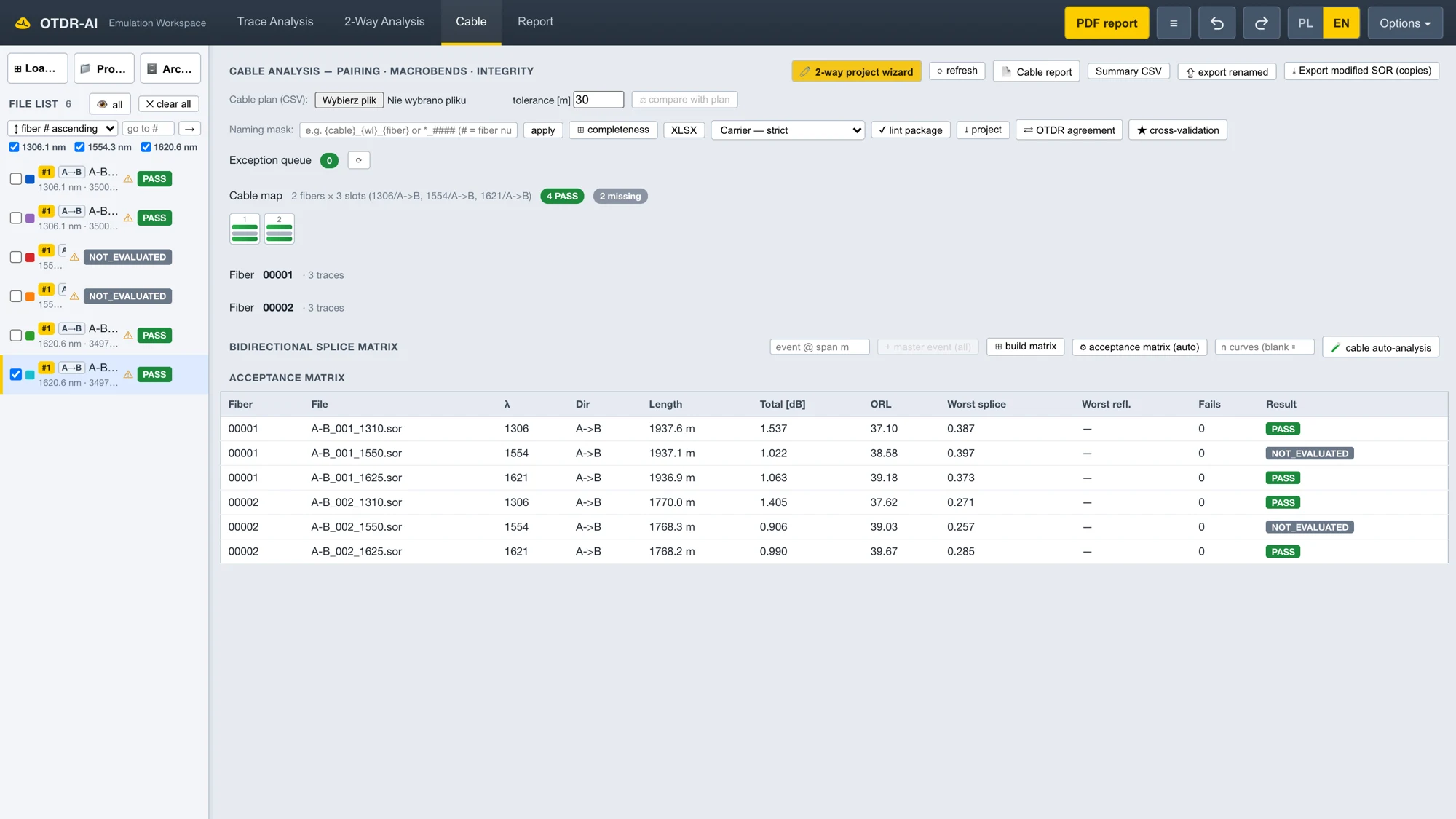
A fibre × event matrix and colour map help you find outliers. Completeness checks organise measurements by fibre, wavelength and direction. The combined view makes it easier to review a batch before generating a report.
A shared view of the trace, cursor and events helps you discuss measurements with a remote expert. Deliver the results as a report with an accompanying measurement viewer, subject to the access settings you choose.
THE RESULT OF YOUR WORK
Prepare documentation for a single link, a set of fibres or an entire cable. Choose the scope, layout and report language, then generate a PDF with traces, event tables and measurement data.
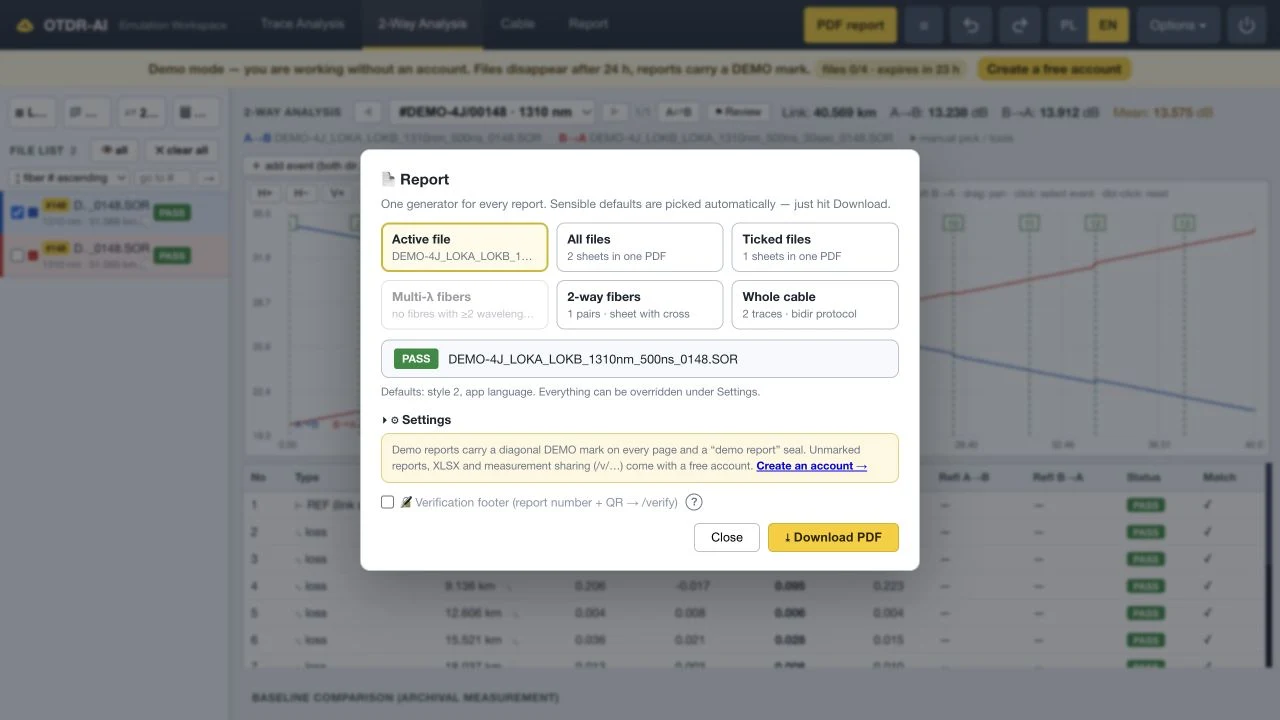
When measurement sharing is enabled for a report, the recipient can open traces and events in a browser and download the shared file package — without installing software or creating an account.
FOR THE REPORT RECIPIENT
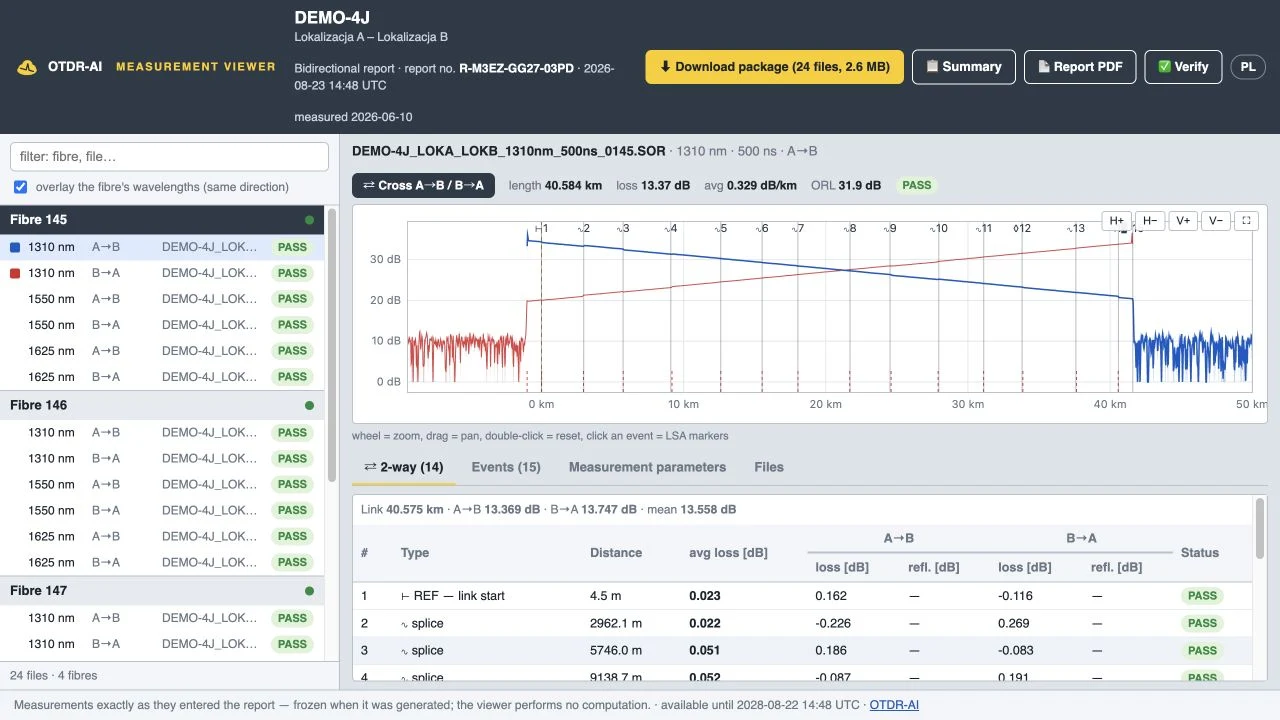
The online viewer presents a snapshot of the measurements attached to a specific report. The recipient can move from a fibre summary to the trace and event table. Opening the viewer does not recalculate the results.
The author chooses whether to include the measurements, can set an access code and expiry date, and can withdraw the package. This keeps control of measurement sharing with the contractor.
What does the seal verify? PDF verification checks the document's origin and whether it matches the file issued by OTDR-AI. The seal itself does not confirm measurement accuracy or compliance of the installation with acceptance requirements.
TAKE A CLOSER LOOK
Click an image to see the details. These screenshots show the application in English with sample data. Individual screens may change as the beta develops.
INTERLAB ON YOUTUBE
A short product overview and a guide to interpreting OTDR measurements. Both videos are in Polish.
PRODUCT OVERVIEW · POLISH AUDIO
From OTDR files through analysis and Cable 360 to a report and an online viewer for the recipient. The video also demonstrates live collaboration and MCP integration.
Watch on YouTube ↗OTDR FUNDAMENTALS · POLISH AUDIO
Why do measurements from both ends matter? How do LSA markers, launch leads and receive leads work? Understand the effects you will later inspect in the application.
Jump to bidirectional testing · 5:05 ↗The YouTube player loads when you click. Each video is also available directly on Interlab's channel.
OPTIONAL AUTOMATION
OTDR-AI exposes analysis and reporting functions through an API and MCP. A compatible AI client can request file loading, analysis or report generation in your workspace. Calculations are performed by the application's analysis engine.
You do not need an AI agent to create a standard PDF report. Integration is useful when you want to combine several operations into a repeatable workflow.
Read about MCP setup in the manual ↗“Load the cable measurements, compare both directions and prepare a report using the specified thresholds.”
PRODUCT DETAILS
No desktop application to install. Use a web browser with an internet connection. Access is free during the beta.
| Product | OTDR-AI — software for OTDR analysis and reporting |
|---|---|
| Developer | Interlab |
| Platform | Web application accessed through a browser |
| Input formats | SOR (Telcordia SR-4731 v1/v2), supported EXFO TRC variants; ZIP batch uploads |
| File compatibility examples | Measurements from OTDR instruments by Yokogawa, AFL/Noyes, EXFO, Anritsu, VeEX and JDSU, among others. Support depends on the file variant and the data it contains. |
| Analysis | Traces and events, markers, LSA, assessment thresholds, bidirectional and multi-wavelength analysis, Cable 360 |
| Exports | PDF, XLSX and CSV; SOR copies with an analysis event table where supported |
| Report delivery | PDF verification, optional QR footer and a measurement package with an online viewer |
| Languages | English and Polish — application interface and reports |
| Integrations | REST API and MCP for compatible clients and agents |
| Access | Free beta; demo without an account, additional features after registration |
| Account-free demo | A sample measurement pair, up to 4 of your own files, a 24-hour workspace and PDF reports with a DEMO watermark. XLSX, CSV and measurement sharing require an account. |
SOR files do not necessarily contain the same range of data across manufacturers. If a file variant is not recognised, contact [email protected]. OTDR-AI is in beta; documentation should be checked against the requirements of the specific acceptance process.
BEFORE YOUR FIRST REPORT
OTDR-AI is a web application developed by Interlab for analysing OTDR measurement files and preparing test documentation. It supports trace and event-table analysis, bidirectional comparison and exports to PDF, XLSX and CSV.
Open OTDR-AI in your browser and load the file. The account-free demo lets you explore sample measurements and up to 4 of your own files. Create a beta account to access the fuller range of export and sharing features.
Yes. For supported files, select the document scope and layout in the report generator. You can report on one measurement, multiple files or a bidirectional set. Demo PDFs carry a DEMO watermark; a full account enables reports without that mark.
Yes, including files from Yokogawa, AFL/Noyes, EXFO, Anritsu, VeEX and JDSU instruments. Compatibility depends on the file format and variant, not only on the instrument brand. Not every file contains a complete trace or all parameters needed for every analysis function.
A→B and B→A measurements let you compare the same event from both ends and calculate its mean loss. This helps reduce the effect of backscatter differences that can make a connection look like a “gainer” in one direction. Correct pairing and link boundaries are essential.
No, provided the report author has included the measurements and shared the package. The recipient opens the viewer in a browser. An access code is required if the author set one. Access also depends on the expiry date and whether the package has been withdrawn.
No. The seal and PDF verification concern the document's origin and integrity. Acceptance of an installation requires valid measurements, appropriate criteria and review by the person responsible for acceptance.
No. Viewing, analysis and report generation are available in the application interface. The API and MCP provide an additional automation option for compatible clients and agents.
Access is free during the beta. This does not imply that every future version will be free. Current terms and available features are described in the application and its documentation.
START WITH ONE MEASUREMENT
Open the sample and see how measurements become clear test documentation.

