AEM CuBLU – RJ45 Cable and LAN Tester
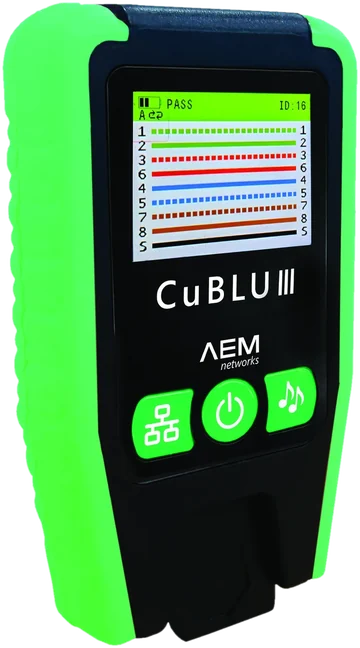
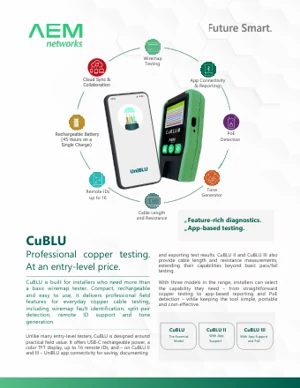
AEM CuBLU RJ45 cable tester family: wiremap with 6 named faults, support for up to 16 remote IDs, tone and voltage detection. CuBLU II and III add length, per-pair resistance and reports in the UniBLU app. CuBLU III also has a PoE detection port for sources up to 90 W. A standard tester includes 1 remote; KIT packages include 16.

Interlab — AEM Networks distributor in PolandAEM Networks
New · AEM Networks
CuBLU
Professional copper cable testing — without the certifier price.

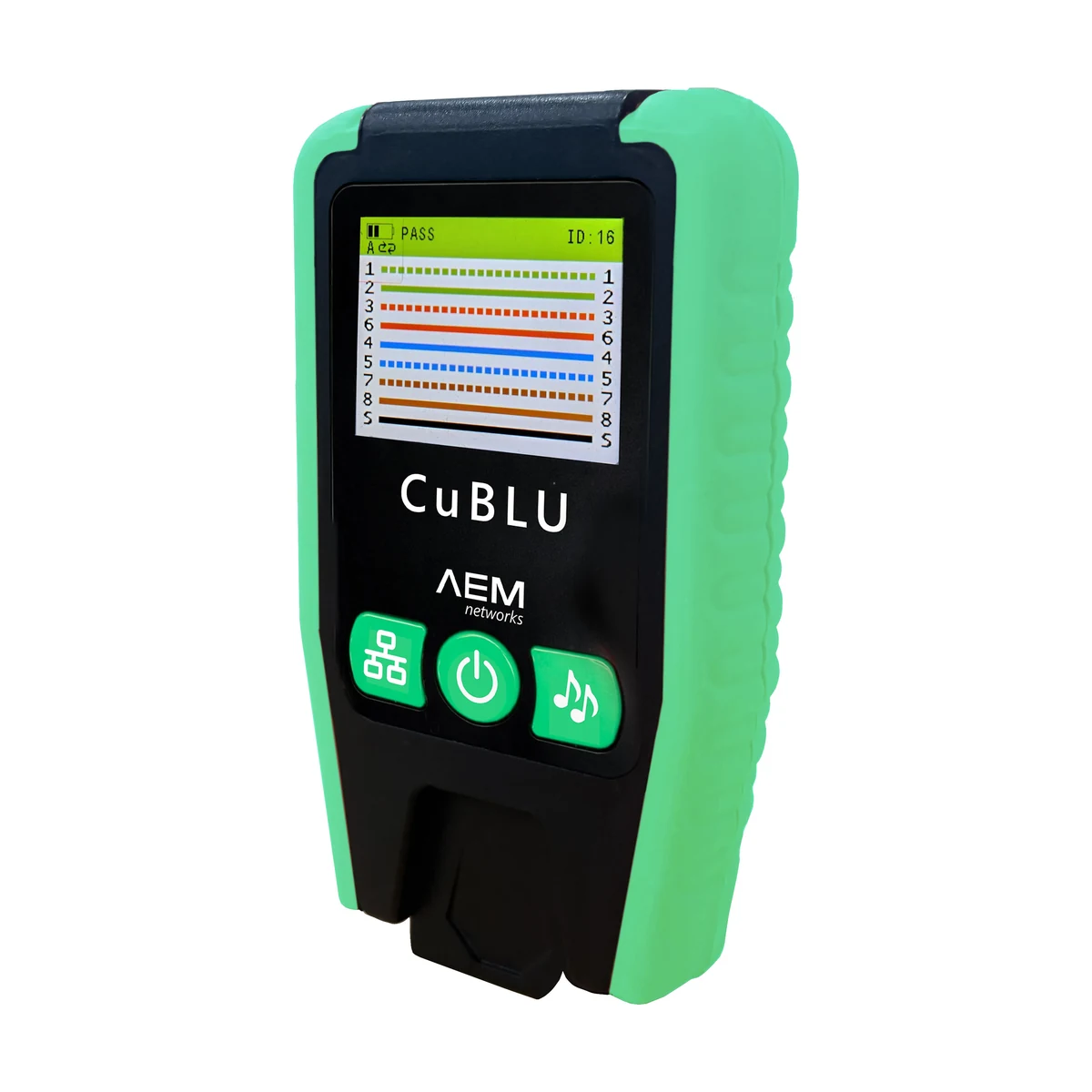
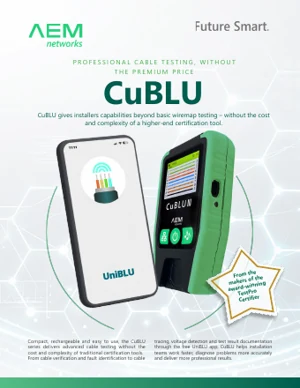
AEM CuBLU is an RJ45 cable tester for installers who need more than a simple pass/fail continuity check, but do not need a full certifier. It detects and names faults on all eight conductors and the shield, while CuBLU II and CuBLU III turn every test into a documented result in the UniBLU app — with length, per-pair resistance and a PDF report.

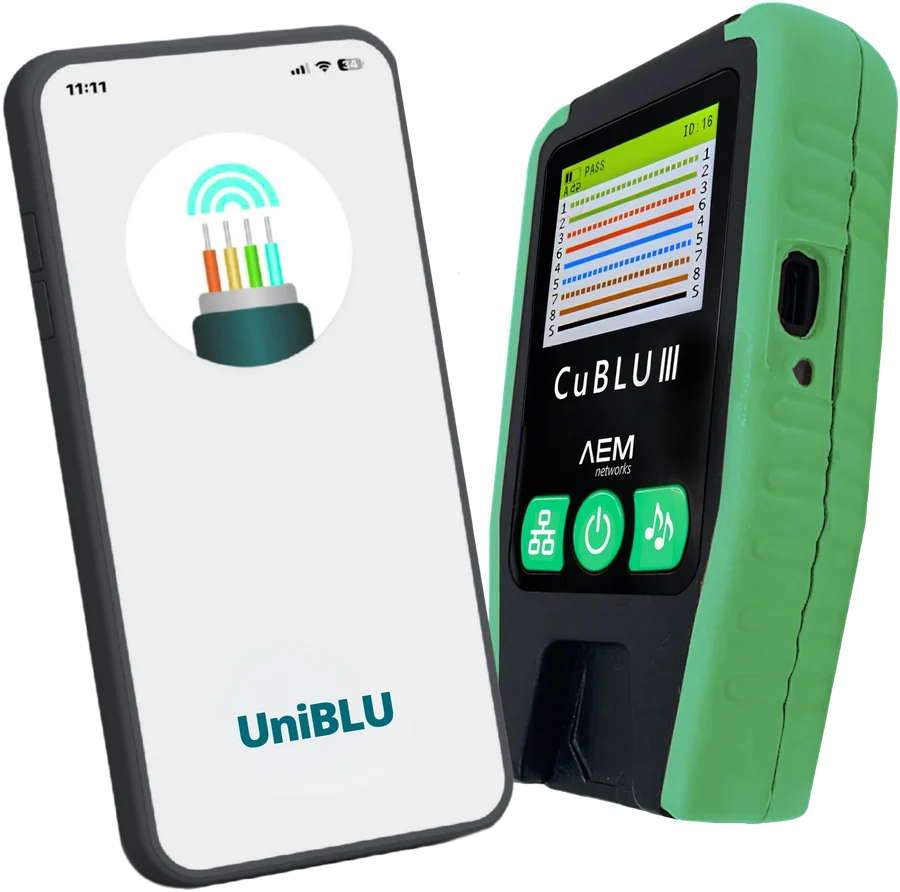
AEM CuBLU III RJ45 cable tester with the UniBLU app on a smartphone
6named fault types
16supported remote IDs
7tone frequencies
45hbattery runtime
120mlength measurement (II/III)
197gtester weight
Where CuBLU fits

More than a continuity tester. Less than the cost of a certifier.

Verify every link, certify the ones you hand over with a system warranty. CuBLU is the tool for the first step — for every technician, on every cable.

Verify

“Is it wired right?”

Wiremap, pair checks, tone and voltage detection. CuBLU II and III with the UniBLU app add length and per-pair resistance measurements. Pass/fail verifies the wiring; it does not certify the cable category.

AEM CuBLU · CuBLU II · CuBLU III

Qualify

“Will the link carry 1G / 10G / PoE?”

Confirms a link supports a given application without the full standards test.

Certify

“Does it meet the category limit?”

Insertion loss, NEXT, return loss and the full TIA/ISO parameter set — the basis of a cabling manufacturer’s warranty.

Three models

One tester, three levels of capability. Pick what the job needs.

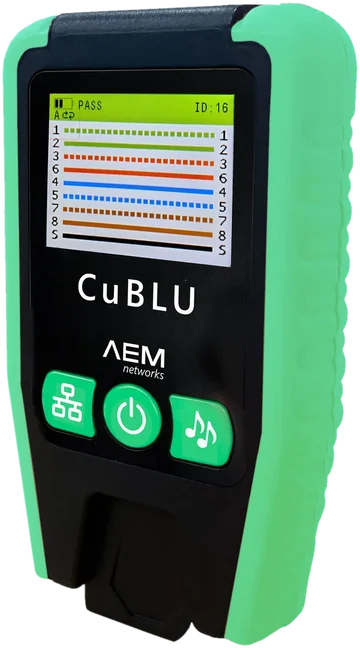
AEM CuBLU RJ45 cable tester — essential model

CuBLU

Essential model
  • RJ45 wiremap: 8 conductors + shield
  • 6 named fault types, including split pair
  • Up to 16 remote IDs shown on screen
  • Tone generator — 7 frequencies
  • Voltage detection up to 60 V DC
  • Single and continuous (loop) test
For installers and service teams: fast, reliable verification — no phone or app needed.
Part number: CUBLU
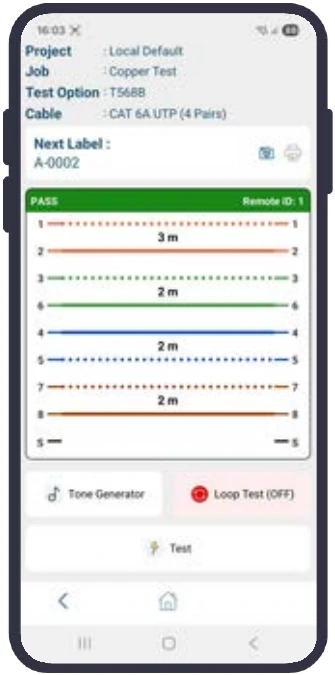
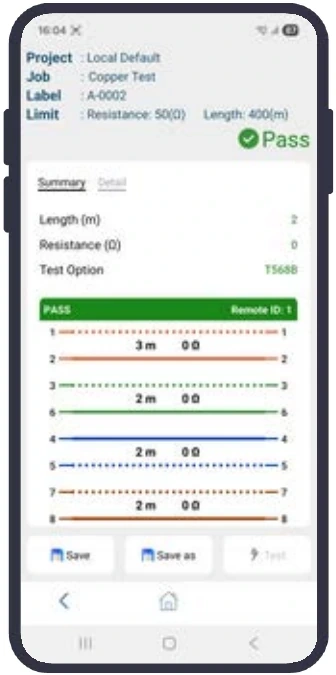
UniBLU app — live wiremap and pair length preview from a CuBLU II tester

CuBLU II

With the UniBLU app
Everything in CuBLU, plus:
  • Bluetooth 5.4 and the free UniBLU app (iOS, Android)
  • Length up to 120 m and DC resistance per pair
  • PDF/CSV reports with your logo, projects and labels
  • Sync with Google Drive / OneDrive
  • Pass/fail for RJ11, RJ12, M12 and coax
For installation companies that hand over documented results.
Part numbers: CUBLU-II · CUBLU-II-KIT
AEM CuBLU III RJ45 and PoE tester

CuBLU III

With the app and PoE
Everything in CuBLU II, plus:
  • Dedicated PoE test port
  • PoE detection up to IEEE 802.3bt (up to 90 W)
  • PoE type, class, voltage, power and powered pairs
  • PoE result in the UniBLU app
For CCTV, access control, Wi-Fi and smart building integrators.
Part numbers: CUBLU-III · CUBLU-III-KIT
Colour TFT display2600 mAh battery · 45 hUSB-C charging ~2 hAuto power-off126 × 74 × 35 mm · 197 g
Diagnostics

Not just pass or fail. Every fault has a name.

The tester screen shows the wiremap of 8 conductors and the shield, the remote ID and the fault name. The technician can see which conductors need checking and which type of fault was detected.

PASSID: 11122336655447788SS

PASSCorrect wiring

All conductors and the shield connected 1:1.

FAIL · OpenID: 11122336655447788SS

OpenOpen circuit

A wire is broken or not connected — usually not seated in the IDC.

FAIL · ShortID: 11122336655447788SS

ShortShort circuit

Two or more conductors connected to each other.

FAIL · MisID: 11122336655447788SS

MiswireMiswire

A wire lands on the wrong pin at the far end.

FAIL · X-OverID: 11122336655447788SS

CrossoverCrossed pairs

Pairs 1-2 and 3-6 swapped — typically T568A at one end, T568B at the other.

FAIL · SplitID: 11122336655447788SS36 / 45

Split pairSplit pair

Pin-to-pin continuity is correct, but the wires of a “pair” come from two different twisted pairs.

FAIL · MultiID: 11122336655447788SS

MultiMultiple faults

Several faults at once — e.g. a badly terminated end or a crushed cable.

Why is a split pair so dangerous?

A basic continuity tester may miss it. A split pair increases crosstalk and can cause transmission errors or an unstable link despite correct pin-to-pin continuity. Every CuBLU model detects split pairs.

Key features

Professional diagnostics — in your hand and in your pocket.

Wiremap and shield

Tests all 8 conductors and shield continuity up to 800 m — find the fault before the cable is patched and handed over.

Up to 16 remote IDs

Plug numbered remotes into a whole room and walk the patch panel once. The ID is shown on screen and in the report.

Tone generator

7 frequencies (800–1500 Hz) on all wires or selected pairs; works with standard tone probes.

Voltage detection

Before every test CuBLU checks the cable for voltage (up to 60 V DC) — protecting both the technician and the tester.

Length and DC resistance II · III

Length up to 120 m and per-pair resistance in the app help identify over-length links and high resistance. The measurement alone does not identify the conductor material.

PoE detection III

Identifies active PoE sources up to IEEE 802.3bt (90 W): type, class, voltage, power and powered pairs — no remote required.

Continuous (loop) test

The result refreshes in real time — wiggle the plug or cable and see where an intermittent fault appears.

45 hours of runtime

2600 mAh battery charged over USB-C from any charger or power bank — no AA cells in the toolbag.

Safety: never connect the tester to mains power or to voltage above 60 V DC. Disconnect the cable from live equipment before wiremap testing. Test PoE through the dedicated CuBLU III port, following the manufacturer’s instructions.
UniBLU app · CuBLU II and III

The report is ready before the crew leaves the building.

The free UniBLU app (iOS 15.5+, Android 11+) turns CuBLU II and III into a handover tool: projects, jobs, labels, results against limits and a report — straight from the phone.

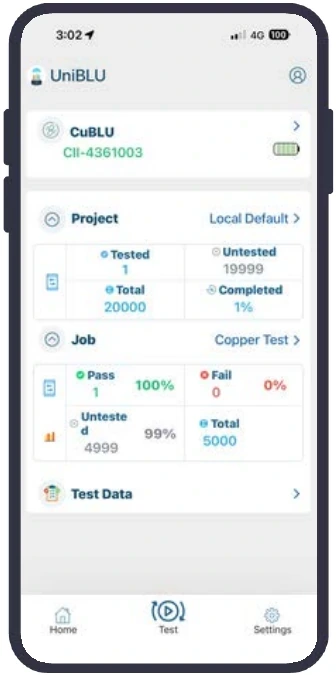
UniBLU — home screen with a connected CuBLU tester
Home screen
tester, project, progress
UniBLU — live wiremap preview
Live preview
wiremap and pair length
UniBLU — PASS result saved under a label
Result and save
pass/fail under a label
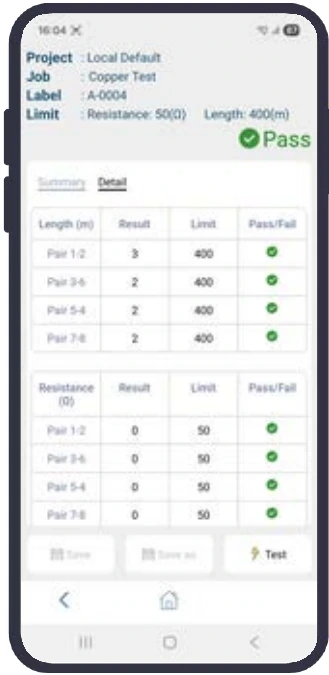
UniBLU — length and DC resistance of each pair against limits
Pair details
length and resistance vs limits
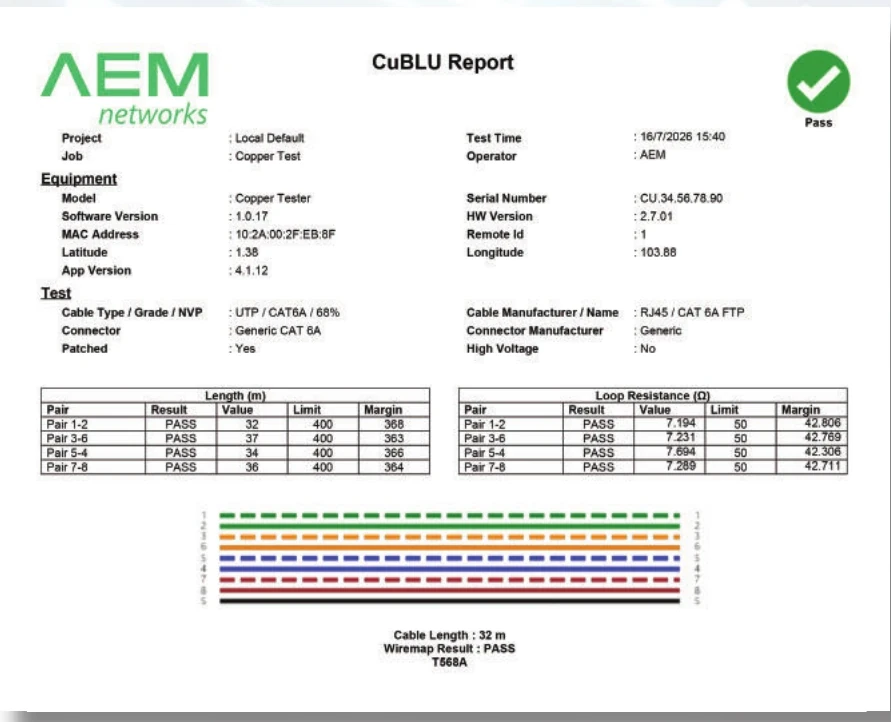
Sample PDF report of a Cat 6A cable test generated in UniBLU
Sample PDF report of a Cat 6A cable test

PDF or CSV report — with your logo

  • Wiremap, result and fault name for every cable
  • Length and resistance of each pair with limit and margin
  • Remote ID, cable and connector type, T568A/B scheme
  • Tester model and serial number, operator, date and time
  • Project export (.ubu) to TestDataPro and one report with FiBLU and TestPro results
  • Label printing from the same job (Brother PT-E550W)
Results in your own cloud. UniBLU syncs with your company’s Google Drive or OneDrive — no separate server and no vendor subscription. Testing also works offline.
Ownerlinks the company drive, issues access keys
Managerprojects and jobs, crew assignment, progress
Operatortests — results upload to the cloud when saved
Viewerclient or inspector — read-only access
Applications

Designed for real-world installations.

Structured cabling

Cat 5e–8 in offices, warehouses and campuses: verify every drop, identify with remotes, document for handover.

Smart buildings, CCTV and AV

IP cameras, access control, displays and sensors — wiremap, tone, voltage and, on CuBLU III, PoE checks.

Data centres

Moves, adds and changes and rack checks — fast fault isolation at rack level.

Electrical and low-voltage contractors

A step up from a continuity tester: named faults, split pairs, voltage safety, RJ11/RJ12, coax and M12.

Construction and fit-out

Find faults before walls and ceilings are closed. App-based records support a clean stage handover.

Enterprise IT and facilities

Office moves, suspect links, patching changes — result history for every site in UniBLU.

Technical data

AEM CuBLU, CuBLU II and CuBLU III specifications

ParameterCuBLUCuBLU IICuBLU III
Wiremap interface and rangeRJ45 8P8C · up to 800 m
Fault typesopen, short, miswire, split pair, crossover, multiple faults
Shield detection · loop test · · ·
Cable length—up to 120 mup to 120 m
DC resistance—per pairper pair
Pass/fail on cable typesRJ45RJ45, RJ11, RJ12, M12, coaxRJ45, RJ11, RJ12, M12, coax
Tone generator7 frequencies (800–1500 Hz)
External voltage detectionup to 60 V DC
PoE detection——up to IEEE 802.3bt (up to 90 W)
Remote IDsup to 16, number shown on screen
Bluetooth · app—5.4 · UniBLU (iOS, Android)5.4 · UniBLU (iOS, Android)
Reports · cloud—PDF/CSV · Google Drive, OneDrivePDF/CSV · Google Drive, OneDrive
Displaycolour TFT LCD, battery indicator, auto power-off
Battery2600 mAh, approx. 45 h runtime, USB-C charging approx. 2 h
Dimensions · weight126 × 74 × 35 mm · 197 g
Operating · storage temperature0…50 °C · −20…60 °C

Length, DC resistance and PoE results are displayed in the UniBLU app. Data according to AEM Networks documentation (brochure 10.2026, UniBLU User Manual v2.1); specifications subject to change by the manufacturer.

Kits and accessories

Ordering information

CUBLUCuBLU tester with 1 remote (ID 1)
CUBLU-IICuBLU II tester with 1 remote (ID 1)
CUBLU-IIICuBLU III tester with PoE test port and 1 remote (ID 1)
CUBLU-II-KIT · CUBLU-III-KITProfessional kit: tester, full set of 16 remotes (ID 1–16), CUBLU-CORD-KIT adapter set, USB-C cable and charger
CUBLU-REM1 · CUBLU-REM16Additional remote ID 1 · set of remotes ID 1–16
CUBLU-CORD-KIT2× RJ45–RJ12 adapter (also RJ11), 2× RJ45–coax F, 2× RJ45–alligator, 2× RJ45 patch cord, soft case
CUBLU-ACC-KIT2× RJ45 patch cord, USB-C cable, USB-C charger, soft case
CUBLU-TONE-PROBENoise-filtering tone probe
Downloads

CuBLU documentation

Polish-language brochure, user manual, datasheet, quick start and installer guide prepared by Interlab are available on the Polish product page.

Before you buy

Frequently asked questions about the AEM CuBLU RJ45 cable tester

Does CuBLU certify cabling?

No. CuBLU verifies cabling: the wiremap and, on CuBLU II and III, length and per-pair resistance. Category certification and a system warranty require a certifier such as the AEM TestPro CV100. Results from both tools can be merged into one report in TestDataPro.

Do I need a phone and the app?

No. The essential CuBLU model works entirely on its own, and CuBLU II and III also test without a phone. The UniBLU app adds length, per-pair resistance, saved results, PDF/CSV reports and team collaboration.

What do the UniBLU app and cloud cost?

The app is free (iOS 15.5+, Android 11+). The cloud is your company’s own Google Drive or OneDrive — no vendor subscription, and the data stays within your organisation.

Which model should I choose for IP cameras and access points?

CuBLU III — it is the only model with a PoE test port and identifies power sources up to IEEE 802.3bt (90 W): type, class, voltage, power and powered pairs. For cabling verification alone, CuBLU II is sufficient.

What is in the KIT, and do the remotes fit all models?

CUBLU-II-KIT and CUBLU-III-KIT include the tester, a full set of 16 remotes (ID 1–16), RJ12/RJ11, coax F and alligator adapters, patch cords, a soft case, and a USB-C cable and charger. The remotes fit all CuBLU models.

Interlab · AEM Networks distributor

Request a quote for CuBLU testers and crew kits.

We will help you choose the right model and kit for your work and set up the UniBLU app.

[email protected] +48 22 840 81 80 ul. Kosiarzy 37 paw. 20, 02-953 Warsaw, Poland Manufacturer: AEM Networks
Download materials click to expand

📥 AEM CuBLU – brochure (EN)

📥 AEM CuBLU – product brief (EN)

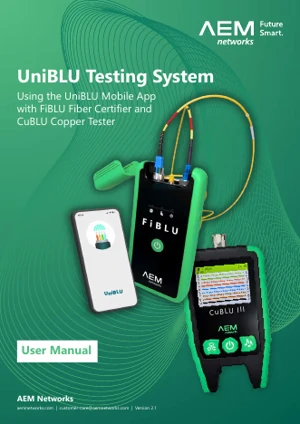
📥 AEM UniBLU – user manual v2.1 (EN)

Interested in this product?

Contact us for a detailed quote and technical advice.

Related products

LAN Testing & CertificationMeters & Fusion Splicers

LAN Testing & CertificationMeters & Fusion Splicers

Copper Cable TestingMeters & Fusion Splicers

Ask about this product

Product: AEM CuBLU – RJ45 Cable and LAN Tester