AFL FOCIS Flex3 – Fiber Connector Inspection Probe
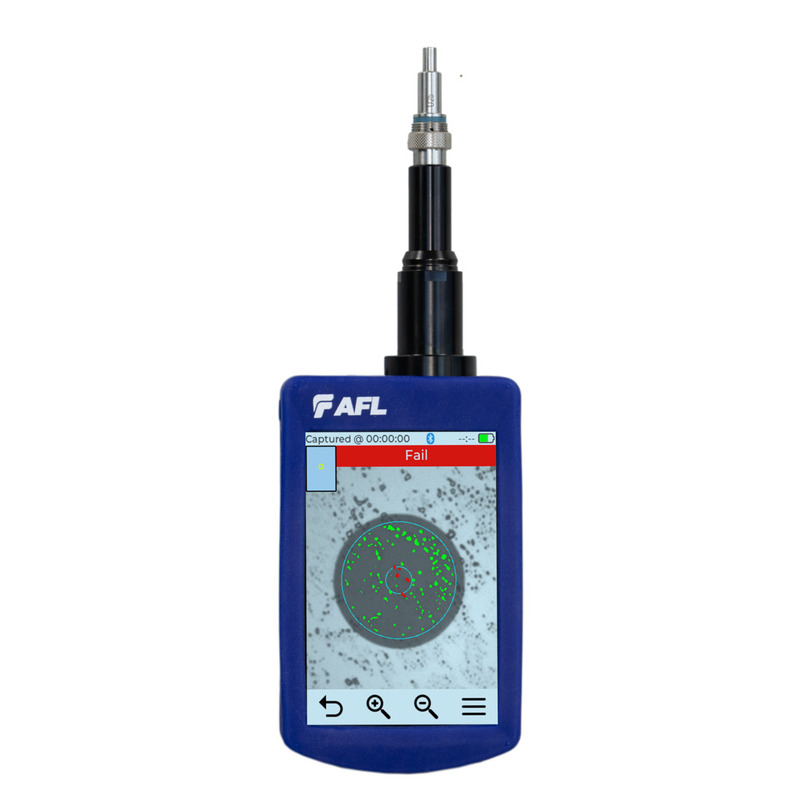
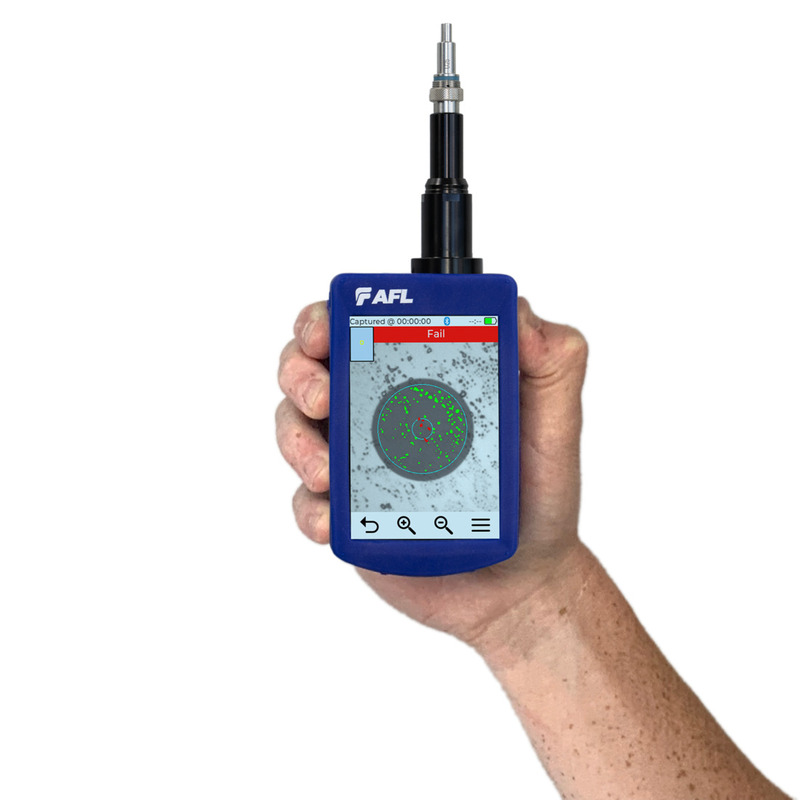
AFL FOCIS Flex3 is a standalone video probe for fiber connector end-face inspection. One press starts auto-focus, centering, image capture, PASS/FAIL analysis and result storage.

  • Automatic grading to IEC 61300-3-35 ED2/ED3, IPC and AT&T criteria
  • 3.5-inch colour touchscreen for operation without an external display
  • 10,000 files / 1,500 results with Bluetooth or USB transfer
  • Integration with AFL FlexScan, FlexApp and FlexReporter
  • Interchangeable tips for ferrules and bulkhead connectors, PC/UPC and APC
AFL FOCIS Flex3 probe inspecting a fiber connector end face Standalone probe · 3.5-inch touchscreen
Automated connector inspection

One press. Five repeatable steps.

FOCIS Flex3 automatically focuses and centers the connector end-face image, captures it, applies the selected PASS/FAIL criterion and saves the result. The technician gets a documented assessment without manually setting up every stage.

View the specification ↓
01Auto-focus
02Center
03Capture
04Analyze
05Save
3.5″colour touchscreen
280 ginstrument weight
up to 8 htypical operating time
10,000files / 1,500 results
INTERLAB Measurement Academy

Inspect first. Then connect.

Contamination in the core zone can increase loss and reflectance. When two ferrules are mated, debris may be crushed, displaced or transferred to the other end face. Good practice is therefore to inspect before every connection and to verify the result again after cleaning.

01INSPECTCheck the end face before mating.
02CLEANDry → wet → dry, depending on the contamination.
03INSPECT AGAINConfirm the result before connection.
Try the virtual inspection probe →
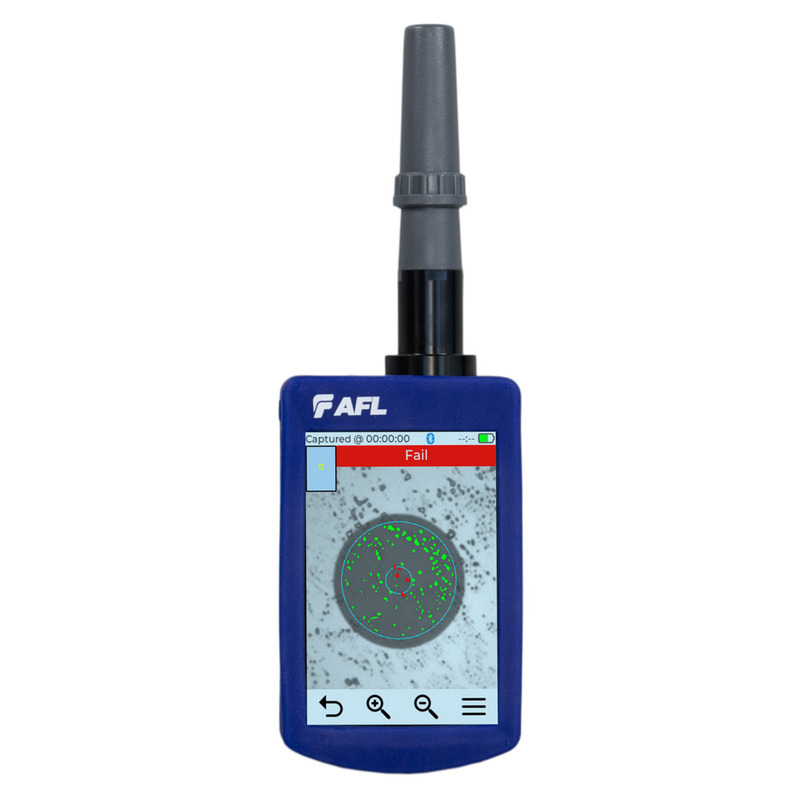
Automated PASS FAIL result displayed on the AFL FOCIS Flex3 screen
Criteria-based grading

Objective PASS/FAIL instead of a visual guess

The analysis divides the connector end face into zones and compares detected defects with the selected criterion. Results are repeatable and can become part of acceptance documentation.

  • IEC 61300-3-35 ED2 / ED3
  • IPC-8497-1 and AT&T TP-76461
  • User-defined criteria
  • Image view with analysis zones and a tabular result view
From image to report

The result does not stay in the probe

FOCIS Flex3 can work as a standalone instrument or transfer results over Bluetooth or USB. Pairing with FlexScan, FlexApp and FlexReporter brings inspection and OTDR measurements into one reporting workflow.

01InspectionConnector end-face image
02PASS / FAILSelected criterion
03Bluetooth / USBData transfer
04FlexScan / FlexAppField workflow
05FlexReporterDocumentation and report
One probe, different connectors

Match the tip to the task

Interchangeable inspection tips cover patch-cord ferrules as well as connectors seated in bulkhead adapters and device ports. Variants are available for PC/UPC and APC polishes.

LCUPC / APC
SCUPC / APC
FCPC / APC
STPC
E2000PC / APC
OptiTap®hardened connectors

Browse adapter tips for FOCIS probes →

Ordering configurations

Choose a starter kit

Kits include the probe, soft carry case, USB cable, charger and FlexReports Basic. Choose the version for the connector you inspect most often, or start with the kit without tips.

BASEFOCIS-FLEX3-NKit without inspection tips.
LC · UPCFOCIS-FLEX3-LCUTwo tips: ferrule and bulkhead.
LC · APCFOCIS-FLEX3-LCATwo tips: ferrule and bulkhead.
SC · UPCFOCIS-FLEX3-SCUTwo tips: ferrule and bulkhead.
SC · APCFOCIS-FLEX3-SCATwo tips: ferrule and bulkhead.

Technical specification

Stored image2560 × 1920 px, JPG
PASS/FAIL criteriaIEC 61300-3-35 ED2/ED3, AT&T TP-76461, IPC-8497-1, user-defined criteria
Focus and centeringAuto-focus and manual mode; automatic centering for single-fiber images
Digital zoom×1 / ×3 / ×6
Storage10,000 files; 1,500 results
Display3.5-inch colour TFT, touch, backlit, 320 × 480
ConnectivityUSB for charging and USB 2.0 mass storage; Bluetooth MFi/SPP
BatteryUser-replaceable Li-Po
Operating / recharge timeUp to 8 h typical; 5 h continuous operation; recharge ≤4 h
Dimensions / weight67 × 32 × 225 mm / 280 g
Operating environment0 to +50°C; 0–95% RH
Maximum level without probe damage+20 dBm; no image can be viewed while the fiber is live
LanguagesIncludes English and Polish
ComplianceUL, CE, FCC, RoHS 2/3
Questions before choosing a kit

Frequently asked questions about AFL FOCIS Flex3

Does FOCIS Flex3 require an external display?

No. It is a standalone probe with a 3.5-inch colour touchscreen for inspection, PASS/FAIL analysis and result review.

How do I select the right inspection tip?

The tip depends on the connector type, PC/UPC or APC polish, and whether you inspect a patch-cord ferrule, bulkhead adapter or device port. INTERLAB confirms compatibility before order.

Can the probe display an end face on a live fiber?

No. AFL specifies a no-damage level up to +20 dBm, but the image cannot be viewed while the fiber is live. Always follow the safety procedures used at your site.

How can inspection results be transferred?

Results can be transferred over Bluetooth or USB. The probe also works with the AFL ecosystem, including FlexScan, FlexApp and FlexReporter.

Does FOCIS Flex3 include a Polish interface?

Yes. According to the current AFL documentation, the FOCIS Flex3 interface includes both Polish and English.

Build the complete workflow

Inspection, cleaning and documentation

INTERLAB offers AFL FOCIS Flex3 in Poland in configurations selected for the connector types. Tip compatibility and kit contents are confirmed before order.

Technical data: official AFL FOCIS Flex3 product page and data sheet FFLX-03-2000, revision PR dated 3 June 2026. Chapter 2 of the INTERLAB Measurement Academy expands the inspection and cleaning practice. Specifications may change.

Download materials click to expand

📄 Brochure (datasheet)

Interested in this product?

Contact us for a detailed quote and technical advice.

Related products

Meters & Fusion SplicersOptical Power Meters

Meters & Fusion SplicersOptical Reflectometers (OTDR)

Meters & Fusion SplicersOptical Reflectometers (OTDR)

Ask about this product

Product: AFL FOCIS Flex3 – Fiber Connector Inspection Probe